
Hashtag filtering is a Spotlight Pro feature that gives you the option to include posts in or exclude posts from your website’s Instagram feed based on the posts’ caption containing a specific hashtag.
For example, you can filter your own feed to only include posts with #portfolio to create a feed that displays posts about your portfolio of work.
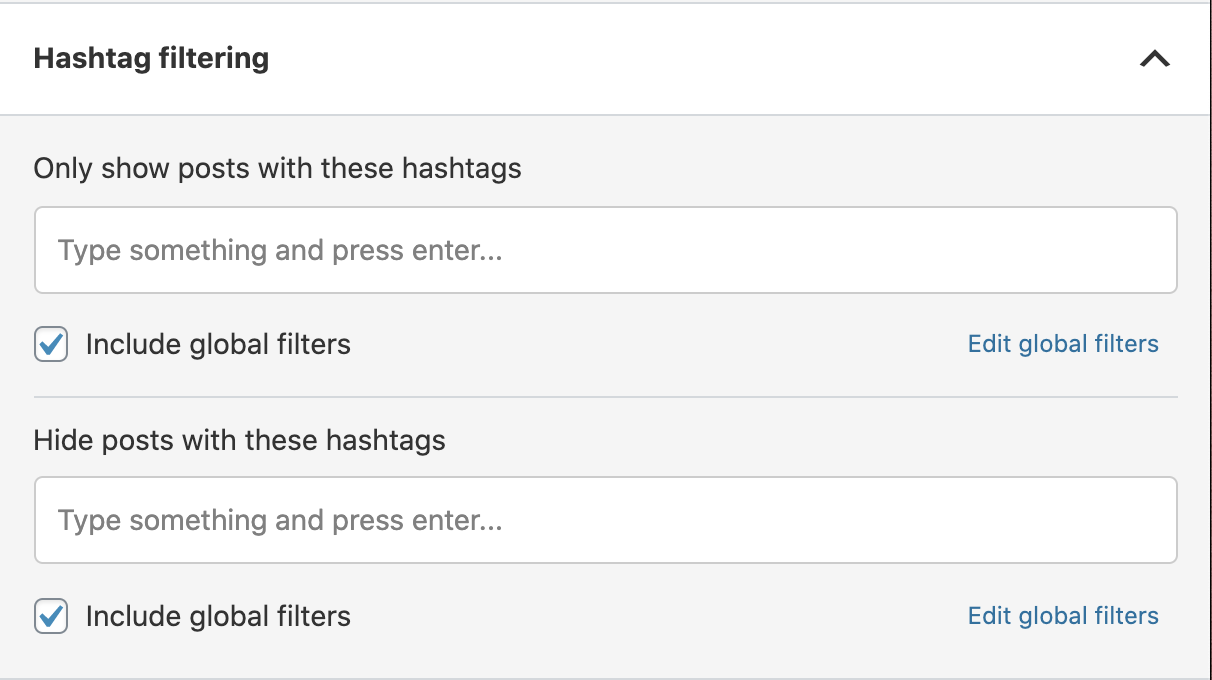
Here’s how to use hashtag filtering:
-
When creating or editing a feed, go to the
Filter step. -
In the sidebar, you will see a section titled
Hashtag filtering. - Enter a hashtag that you want to filter by in the respective option (show or hide) and press enter.
-
The
live preview will then be automatically updated with posts that meet these criteria.
That’s it. You can now go on to moderate your feed or embed it right away.
Note: Each filtering method also has an option beneath it called Include global filters. When checked, the Global Filters from Spotlight are also applied to the feed being edited, and vice-versa. You can also Edit global filters directly within the feed editor.
