Built for WordPress

The Instagram feed plugin for WordPress

Show your Instagram posts and reels on your WordPress website, updated automatically. Upgrade for stories, hashtag feeds, shoppable galleries and link-in-bio pages.

  • 4.7/5 170+ ratings
  • 50,000+active installs
  • Since 2020on WordPress.org
  • Updated frequently
  • Tested with the latest WordPress
  • Verified by Facebook to use the Instagram API
yourwebsite.com
@flovio.flo
Load more
Try a layout

Click any photo to open it.Powered by spotlight.

As featured in

How it works

Embed an Instagram feed or widget in WordPress in three steps

  1. 1
    Install the free pluginIn Plugins, Add New, search for “Spotlight Social Photo Feed”, then install and activate it.
  2. 2
    Pick a layout and connectChoose one of 17 layouts, then log in with Instagram or Facebook and click Allow.
  3. 3
    Customize and embedPreview it on desktop, tablet and phone, then embed it with a block, shortcode or widget.
Get Spotlight free
Corgi puppy on an orange backgroundSmall fluffy dog on a green backgroundCorgi puppy on a yellow backgroundSmall dog in a printed shirt on a yellow backgroundSmall dog on a white box against a blue backgroundWhite dog wearing green sunglasses on a pink backgroundShort-haired dog looking up against a purple backgroundSchnauzer puppy on a yellow backgroundDog photo used to compare Instagram feed layouts
Schnauzer puppy on a yellow backgroundWarning: Cuteness overload. #dog41223
Corgi puppy on an orange background#dog28814
Small fluffy dog on a green backgroundDogs are my favorite kind of people. #dog53641
Shih tzu on a red background#dog1979
Small dog in a printed shirt on a yellow backgroundLove is a four-legged word. #dog35118
Small dog on a white box against a blue background#dog26312
Short-haired dog looking up against a purple backgroundThe road to my heart is marked with paw prints. #dog47833
Corgi puppy on a yellow background#dog30516
White dog wearing green sunglasses on a pink backgroundAnything is paw-sible with a dog by your side. #dog62257

Schnauzer puppy on a yellow background
Corgi puppy on an orange background
Small fluffy dog on a green background
Shih tzu on a red background
Small dog in a printed shirt on a yellow background
Small dog on a white box against a blue background

Design

Instagram galleries, grids and sliders for your WordPress site

Spotlight picks up your theme's fonts, and every feed is responsive by default. From there, it's all point and click.

  • Ready-made templates in Free. Essentials unlocks every layout, including the new Thumbnail Gallery and Polaroid Sticker
  • See every change in a live preview, and check it on desktop, tablet and phone
  • Set columns and post count for each device, and order posts by date, popularity or at random
  • Feed header with a profile photo and bio
  • "Follow" and "Load more" buttons you can reword or translate
  • Custom CSS if you want to go further
See the feed demos

Built to keep working

A feed that stays up when Instagram has a bad day

Instagram feeds usually go wrong in one of three ways: access expires, images load slowly, or Instagram itself has an outage. Here's how Spotlight handles each.

wp-content/uploads/spotlight-insta

✓Saved on your site

Stored locally

Your posts live on your site

Spotlight imports your posts into WordPress and saves resized images to your uploads folder. If Instagram has a problem, your feed keeps showing the posts and images it already has.

Checked every hour
New

Automatic updates

New posts appear on their own

Spotlight checks Instagram every hour by default, and you can change how often. Post on Instagram and your website follows.

Instagram loginBasic connection
Renews automatically
Facebook loginAdvanced connection
Reminder before expiry

No surprise disconnects

Access that renews itself

Accounts connected through Instagram renew their access automatically. When a Facebook-connected account has an expiry date, Spotlight warns you in the dashboard a week before.

✕<iframe src="instagram.com/…">

✓<div class="spotlight-instagram-feed">

Search friendly

Part of your page, not a frame

No iframes or embed windows. Search engines can read your feed, image ALT text comes from your captions, and images lazy-load as visitors scroll.

Spotlight in action

Real feeds on real websites

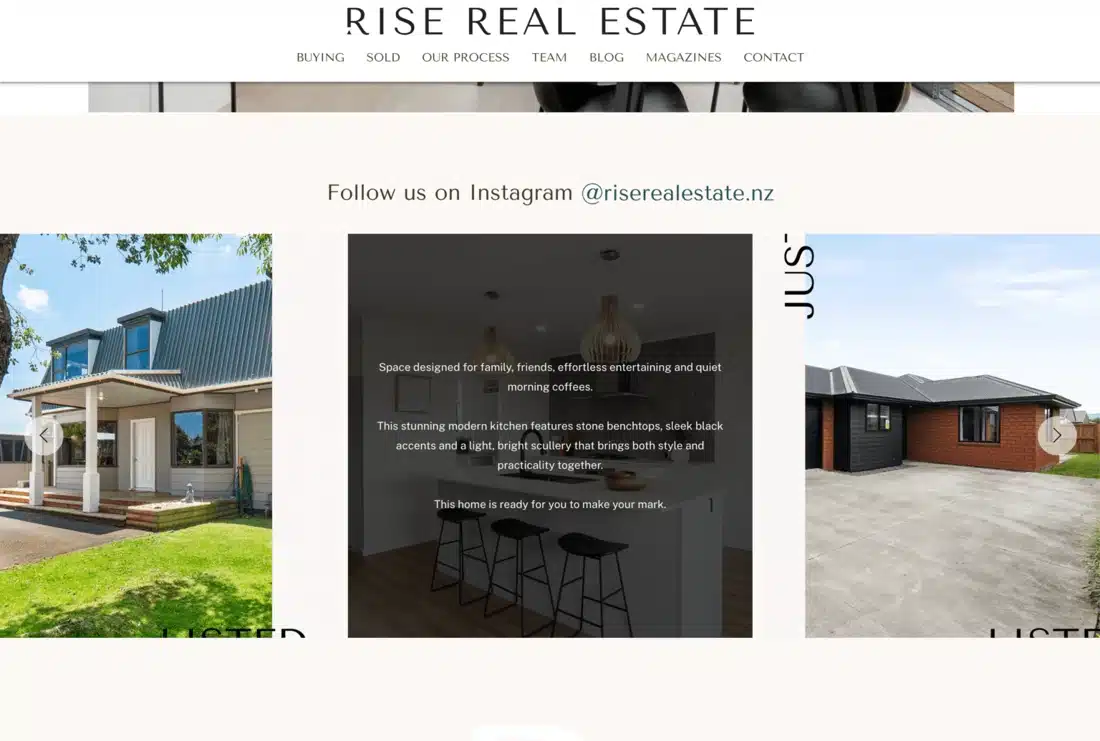
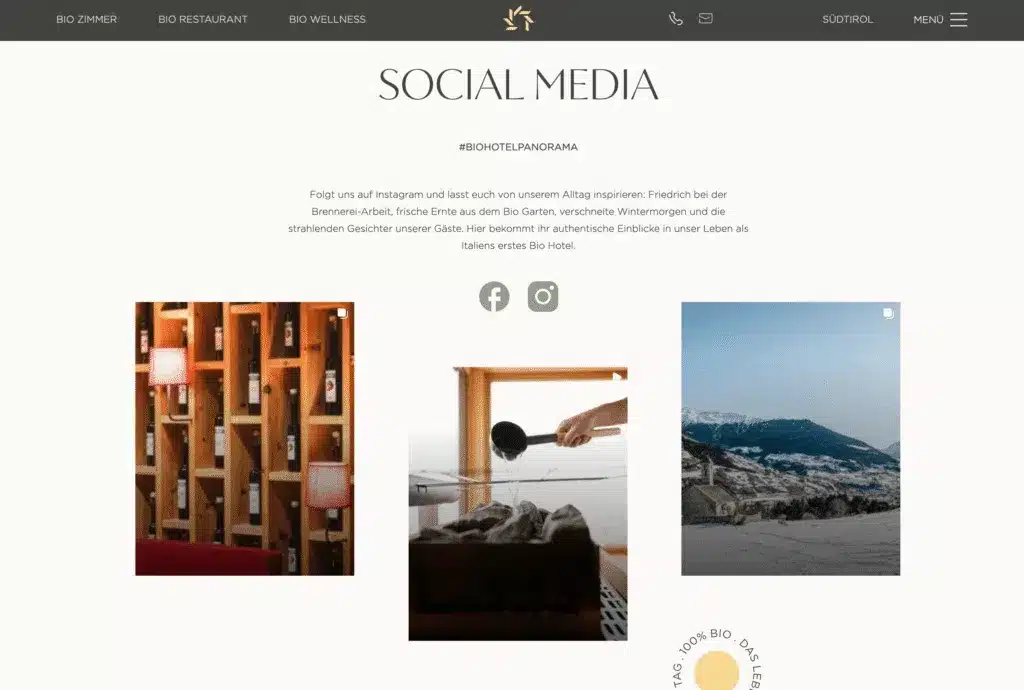
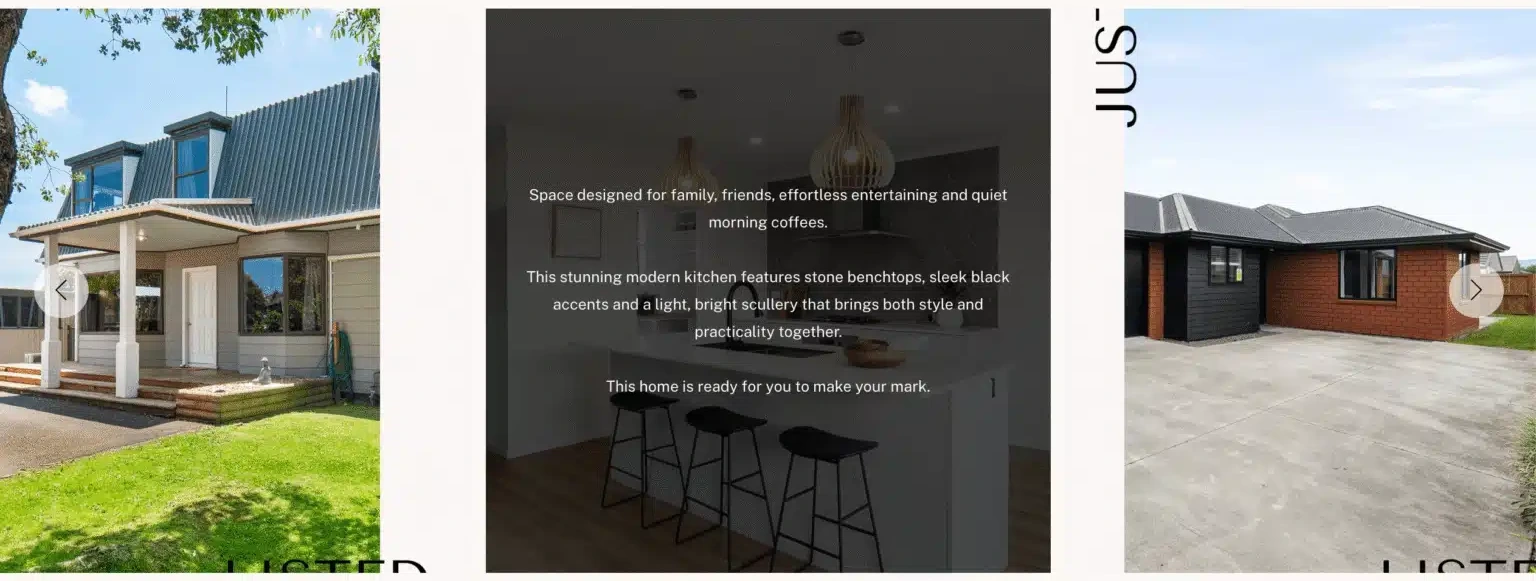
Clinics, studios, hotels, designers, photographers and agents use Spotlight to bring their Instagram onto their own site.

Real estate agency website with an Instagram slider
Real estate
Interior design studio website with a Follow us on Instagram feed
Interior design
Hotel website social media section with Instagram posts
Hotel
Beauty clinic website with an Instagram feed strip
Beauty clinic
Yoga studio footer with a Follow me on Instagram feed
Yoga studio
Newborn photographer website with an Instagram gallery
Photographer
The plugin is super easy to install and set up and I don't have to manage 3rd party apps that get kicked out of Instagram all the time. Instead, I get to refer people to my website directly. Win, win.

Janet FoutsFounder, Nearly Mindful
Customer testimonial
This is a plugin I've been using for years to display Instagram photos on different WordPress websites. And the few times I've had an issue (usually on the Instagram API side), the support team has always responded quickly and kindly.
olimate5-star review, August 2026
WordPress.org

Reviews

170+ ratings on WordPress.org

Rated 4.7 out of 5 on WordPress.org

More than 150 five-star reviews. More customer stories

★★★★★
I'm giving you 5 stars because this is a plugin I've been using for years to display Instagram photos on different WordPress websites. … A plugin that just works, plain and simple!
olimateWordPress.org review, August 2026
★★★★★
Not only is the plugin extremely easy to use with its sleek interface, but it's also worth noting that the free version is generous compared to other extensions.
fairycookiesWordPress.org review, September 2026
★★★★★
The key feature for me was the image lightbox popup, so your site visitor remains on the page and doesn't jump over to Instagram to get distracted! I'm pleased to report that this feature works perfectly in the free version.
@photomaldivesWordPress.org review

Free and paid

Start free. Upgrade when you need more.

The free plugin shows your posts and reels from as many accounts as you like. Paid plans add layouts, feed types and selling tools, with a 30-day full refund.

Free

Everything you need for your own feed

$0

Download free
  • Unlimited accounts and feeds
  • Posts, reels and videos
  • Several accounts in one feed
  • Lightbox popup
  • Block, shortcode and widget

Essentials

Best for personal blogs & side projects

$59USD/year

$59$29.50USD/year

50% off your first year. Renews at $59/year.

Get started
  • 1 site
  • All layouts and 12+ templates
  • Instagram stories
  • Elementor widget
  • Like and comment counts, custom CSS
Most popular

PRO

Best for creators, marketers & small businesses

$99USD/year

$99$49.50USD/year

50% off your first year. Renews at $99/year.

Get started
  • 1 site, everything in Essentials
  • Hashtag and tagged feeds
  • Shoppable feeds and WooCommerce
  • Link in bio
  • Filtering and moderation

Agency

Best for client work & eCommerce brands

$199USD/year

$199$99.50USD/year

50% off your first year. Renews at $199/year.

Get started
  • Up to 20 sites, everything in PRO
  • Instagram and feed analytics
  • Google Analytics integration
  • Media management
  • Priority email support

30-day money-back guarantee. If Spotlight doesn't work the way it should, you get a full refund. Prices are locked for life.Black Friday prices cover your first year. Renewals are at the regular price.

Compare every feature

For agencies and freelancers

Connect client accounts without asking for passwords

Send your client the free Access Token Generator. They log in themselves and send you an access token (plus a User ID for Facebook connections), and you connect their feed on their site. The Agency plan covers up to 20 sites.

How the handoff works

  1. 1

    Send the linkYour client opens the Access Token Generator.

  2. 2

    They log inThrough Instagram or Facebook, and click Allow.

  3. 3

    You connectPaste what they send into Spotlight on their site.

FAQ

Questions about Spotlight

Can't find your answer? Browse the Help Center.

Still deciding?

Try the free version on your own site. It takes a few clicks to install and you can upgrade later.

Get Spotlight free View demo
Is Spotlight free?

Yes. The free version on WordPress.org connects unlimited Instagram accounts and shows unlimited feeds, with posts, reels, a lightbox and block, shortcode or widget embedding. Paid plans start at $59 a year$29.50 for your first year during Black Friday, then $59 a year, and add layouts, stories, hashtag and tagged feeds, shoppable feeds and more.

Does Spotlight work with a personal Instagram account?

No. Meta closed the Instagram Basic Display API, the only official API for personal accounts, on December 4, 2024. Plugins that use Instagram's official API, Spotlight included, now need a Creator or Business account. You can switch in Instagram's settings, and a Facebook Page is optional.

Do I need a Facebook Page?

Not for your own posts. Connect with Basic, which logs in through Instagram. Hashtag and tagged-post feeds need Advanced, which connects through a Facebook Page linked to your Instagram account.

Will it slow down my site?

Spotlight avoids iframes, loads feeds dynamically, lazy-loads images and serves resized copies of them from your own site, so pages don't wait on Instagram to load images.

What happens if Instagram goes down or my access expires?

Your posts and images are stored on your site, so the feed keeps showing them. Instagram-connected accounts renew their access automatically. When a Facebook-connected account has an expiry date, Spotlight warns you in the dashboard a week before. If you ever need to reconnect, do it from the Accounts page; your existing feeds aren't affected.

Is Spotlight approved by Meta?

Spotlight is verified by Facebook to use the official Instagram API. It isn't affiliated with or endorsed by Instagram or Facebook. You connect by logging in on Instagram's or Facebook's own screen, so Spotlight never sees your password.

What about GDPR and privacy?

Spotlight imports your posts and saves the images on your own site, so visitors load them from you, not from Instagram. Videos are served from Instagram by default. The Agency plan's media management can host videos locally too.

Why isn't my feed showing new posts?

Usually it's timing or access. Spotlight checks for new posts every hour by default, and an expired or disconnected account stops new posts coming in. Our guide to fixing an Instagram feed that isn't showing walks through each cause.

Does it work with Elementor, Divi, Beaver Builder and other page builders?

Spotlight has a block for the WordPress editor, an Instagram widget and a shortcode, so it works anywhere a shortcode does. Essentials and up add a dedicated Elementor widget. The Spotlight block also works inside Kadence Blocks and Spectra layouts. In Beaver Builder, the feed works in the HTML, Text Editor and WordPress Widgets modules, and in SiteOrigin Page Builder as a widget. In Divi, add it with the shortcode in a Text or Code module.

Can I embed a single Instagram post?

Yes. Spotlight adds Instagram oEmbed support to WordPress, so you can embed individual posts as well as full feeds. In the plugin, single-post embeds use an account connected through Facebook.

Does Spotlight show other social networks?

No. Spotlight is built only for Instagram, which is why it goes deeper on Instagram than general social media feed plugins: hashtag and tagged feeds, stories, shoppable posts and link in bio.

Can I show more than one Instagram account?

Yes. There's no limit on accounts or feeds, and you can combine several accounts in one feed, even on the free version.

How is Spotlight different from Smash Balloon?

Both show Instagram feeds in WordPress. We compare features, free plans and pricing side by side in Spotlight vs Smash Balloon.

Does Spotlight work outside WordPress?

No. Spotlight is a WordPress plugin and only works on WordPress sites.

Your Instagram.
On your terms.

Get Spotlight freeSee plans★ 4.7/5 on WordPress.org  ·  50,000+ active installs  ·  30-day money-back guarantee
Instagram Feeds Lookbook

Free Download

Instagram Feeds Lookbook

Get inspired by nine of the best use cases of Instagram feeds from real Spotlight users.