
TL;DR: Since June 15, 2026, you can embed a public Instagram post in WordPress without an access token, a Meta developer app, or App Review. You still need Meta’s free plugin to make URL-paste work on self-hosted WordPress. Feeds are untouched: they still need a proper plugin and an authenticated connection.
Meta just reversed its 2020 decision and made its oEmbed APIs tokenless again.
We tested every method in this post on a clean WordPress 7.0 install. One of the methods below doesn’t work the way the announcement implies.
What did Meta change in June 2026?
Back in October 2020, Meta locked its oEmbed endpoints behind access tokens and App Review. Embedding a single Instagram photo with just a link stopped working, and WordPress core removed Instagram and Facebook from its list of oEmbed providers.
That’s why pasting an Instagram URL into WordPress has shown a plain link for the past six years. It’s also why forums are littered with threads asking “is there a way to embed a single Instagram post anymore?”
On June 15, 2026, Meta reversed that decision. The oEmbed endpoints for Instagram, Facebook, and Threads now work with no token and no App Review.
We verified it directly. A plain request to Meta’s instagram_oembed endpoint with a public post URL returns the full embed markup, no credentials attached:
GET https://graph.facebook.com/v25.0/instagram_oembed?url=https://www.instagram.com/p/BsOGulcndj-/

{
  "version": "1.0",
  "provider_name": "Instagram",
  "provider_url": "https://www.instagram.com/",
  "type": "rich",
  "width": 658,
  "html": "<blockquote class=\"instagram-media\" ..."
}
No token parameter, no app ID. That exact request returned an OAuth error for six years.
What the tokenless endpoints cover:
- Single public Instagram posts and reels
- Single public Facebook posts and videos
- Single public Threads posts
What they don’t cover:
- Automatic feeds of any kind (account, hashtag, or tagged)
- Stories
- Private accounts or private posts
- Any account data, media lists, or analytics
Two footnotes: Meta says rate limits on tokenless calls “may differ” from token-based access. And token-based oEmbed keeps working unchanged, so if you run a plugin that connects to Instagram with an authenticated account, such as Spotlight, nothing about your setup changes.
The three free ways to embed a single Instagram post
1. Meta’s official plugin (the route we recommend)
Meta released Meta Embeds, a free, open-source WordPress plugin, in April 2026. It picked up the tokenless endpoints in June.
Install it, activate it, and paste a public Instagram post URL on its own line. The URL converts to a live embed with a preview, in both the block editor and the classic editor. There’s no settings page and nothing to configure.
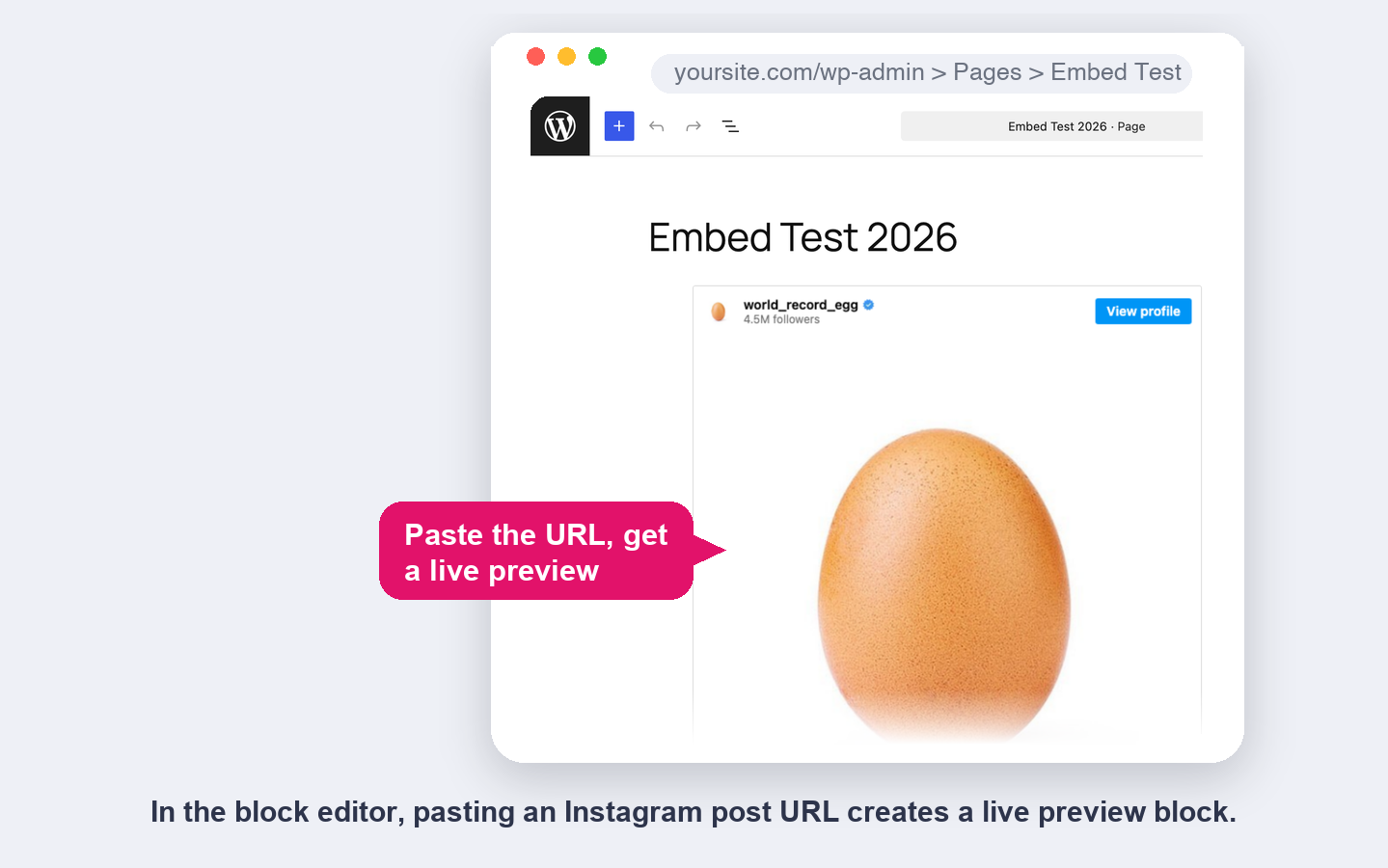
In our testing on WordPress 7.0, post URLs embedded correctly on the first try. Two caveats from the same tests:
- Profile URLs didn’t work. The plugin lists profile embeds as supported, but Meta’s API returned an “Invalid URL” error for every profile we tried. Treat profile embeds as not yet reliable.
- Reels are supported per Meta’s documentation, though we couldn’t complete an end-to-end reel test at the time of writing.
2. The manual embed code
The method Instagram has always offered. Open the post on instagram.com, tap the three-dot menu, choose Embed, and copy the HTML into a Custom HTML block.
It works without any plugin because the markup ships with everything it needs. The downside is the workflow: one trip to Instagram per post, and raw HTML sitting in your content.
3. Plain URL paste, once core catches up
Most coverage of this change skips a step: WordPress core never restored Meta’s oEmbed providers after pulling them in 2020, and WordPress 7.0 still hasn’t.
We checked the provider list on a stock install: no Instagram, no Facebook, no Threads. Pasting a bare Instagram URL without a plugin still produces a plain link, not an embed.
Meta’s plugin is built to step aside automatically if core re-registers these providers in a future release, which its own FAQ hints is under discussion for Threads. Until that lands, method 1 or 2 is the way.
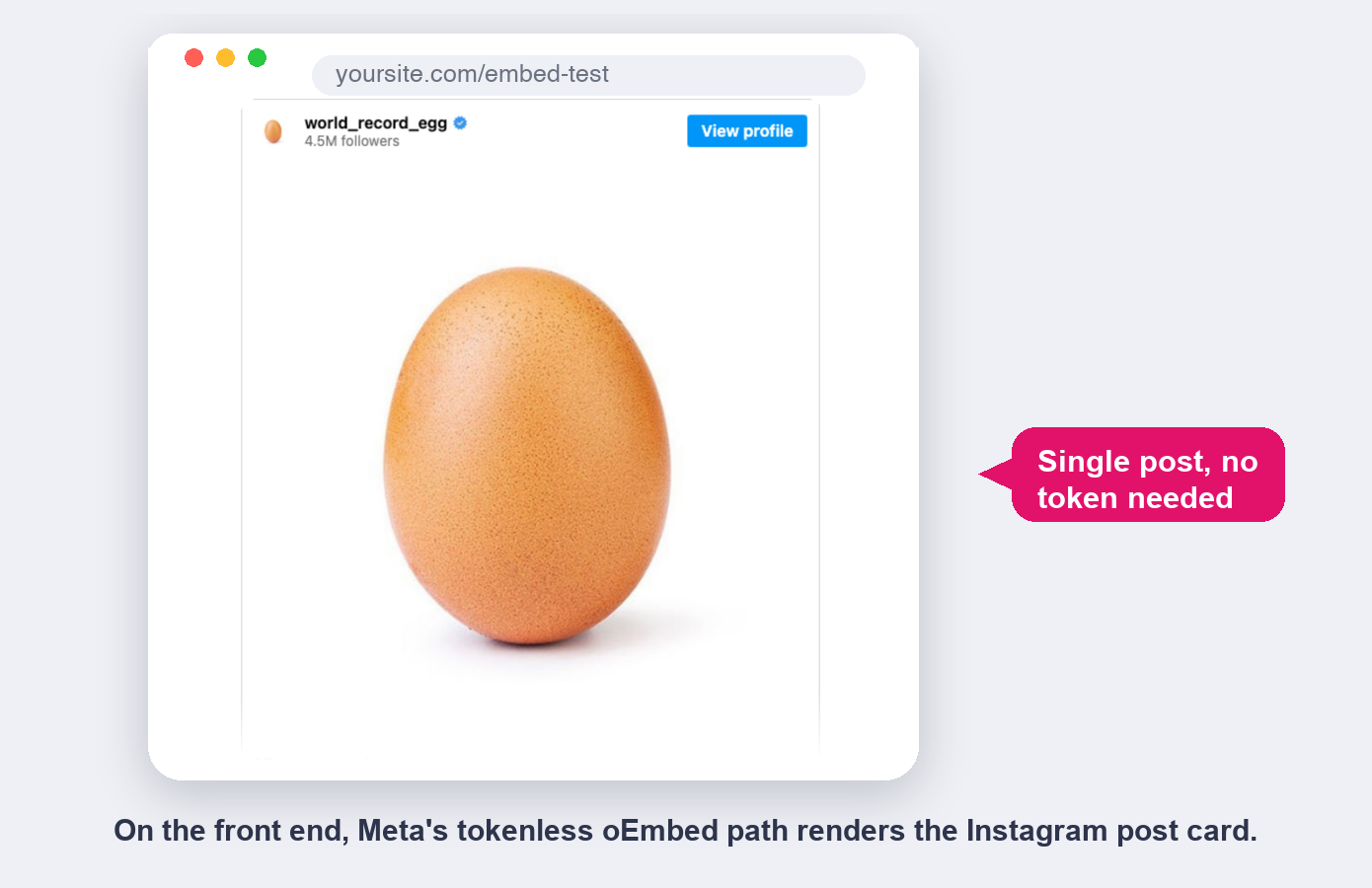
Single-post embeds vs. an Instagram feed plugin
Which one do you need?
Free oEmbed route
- One fixed post per embed, frozen in time
- Instagram’s card design, one size
- No filtering, no moderation
- Loads Meta’s embed.js in every visitor’s browser
- No account needed, free
Spotlight feeds
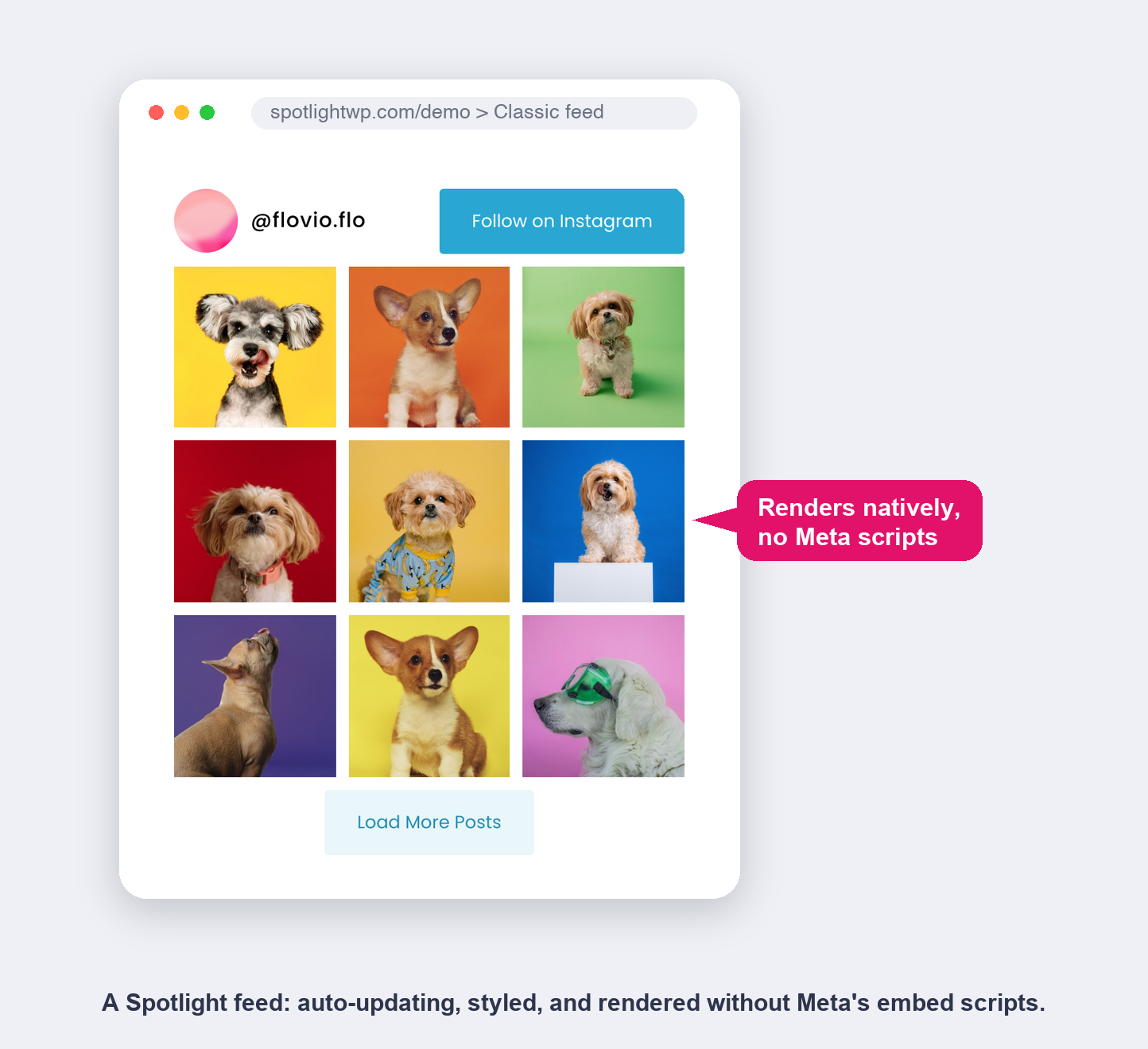
- Auto-updating: new posts appear on their own
- Grids, carousels, masonry, highlight layouts
- Filter by hashtag, caption, or manual curation
- Native rendering: zero Meta scripts on your pages
- Free plan; PRO tiers for shoppable and analytics
Meta’s announcement says “no personal data is shared through these endpoints,” and that’s true of the API call your server makes. The embed itself is a different story. The returned markup loads Instagram’s embed.js in your visitor’s browser, so every visitor who views that page talks to Meta’s servers, under Meta’s privacy policy.
Spotlight renders feeds with its own markup and its own scripts, served from your site. Our test page proved the contrast neatly: the Spotlight feed section loaded zero Meta script tags. If GDPR posture or page performance matters to you, that difference comes from how the two are built.
When is the free route all you need?
For a lot of sites, yes. If you need one post in an article, an announcement on a page, or the occasional embed, install Meta Embeds and paste the URL. It’s free and it’s Meta’s own plugin. You don’t need Spotlight for that, and we would rather tell you so than have you discover it after buying.
When do you actually need a feed plugin?
Reach for a feed plugin when the job changes from “show this one post” to “show my Instagram, continuously”:
- You want the page to stay current without editing it. oEmbed embeds are frozen; a feed updates itself every time you post.
- You want layout control. A wall of identical Instagram cards is not a design. Feeds give you grids, carousels, and styling that matches your site.
- You need curation. Hashtag filtering, caption filtering, hiding specific posts. oEmbed has no concept of any of this.
- You care about performance and privacy. Native rendering keeps Meta’s scripts out of your pages entirely.
- You want clicks to become customers. Shoppable feeds, promotions, and analytics only exist on the feed side.
The June change did not move this boundary. Tokenless oEmbed is single-post only, by design. Meta’s own endpoints offer no path to a feed without an authenticated connection, which is exactly the part Spotlight handles for you.
Why is my Instagram embed still not working?
A few causes worth checking, updated for the post-June world:
- No provider registered. On self-hosted WordPress with no embed plugin, a pasted URL stays a link. Install Meta Embeds or use the manual embed code.
- The post is private. Tokenless oEmbed only serves public content. Private posts return an error no matter what you do.
- It’s a profile URL. Profile embeds are flaky through the tokenless API right now, per our testing. Link to the profile or embed individual posts instead.
- Heavy embed pages load slowly. Every oEmbed embed adds Meta’s script and iframes. If a page carries many embeds, consider whether it should be a feed instead.
- Feed problems are a different topic. If a Spotlight feed is not showing, that’s unrelated to oEmbed; see our feed troubleshooting guide.
The bottom line
Meta un-broke single-post Instagram embeds after six years. The fastest way to use that on WordPress today is Meta’s own free plugin.
For one-off posts, take the free route with our blessing. For an Instagram presence that updates itself, looks like part of your site, and keeps Meta’s scripts away from your visitors, that’s what Spotlight is for.