
In some rare cases, you may notice that the thumbnails on your Spotlight feed are different from the ones you see on your Instagram account. The most common cause of this issue is if you recently updated your reel's cover (thumbnail) on Instagram, and Spotlight has not yet updated to reflect this change.
To fix this issue, we can try to clear the Spotlight cache and re-import the posts.
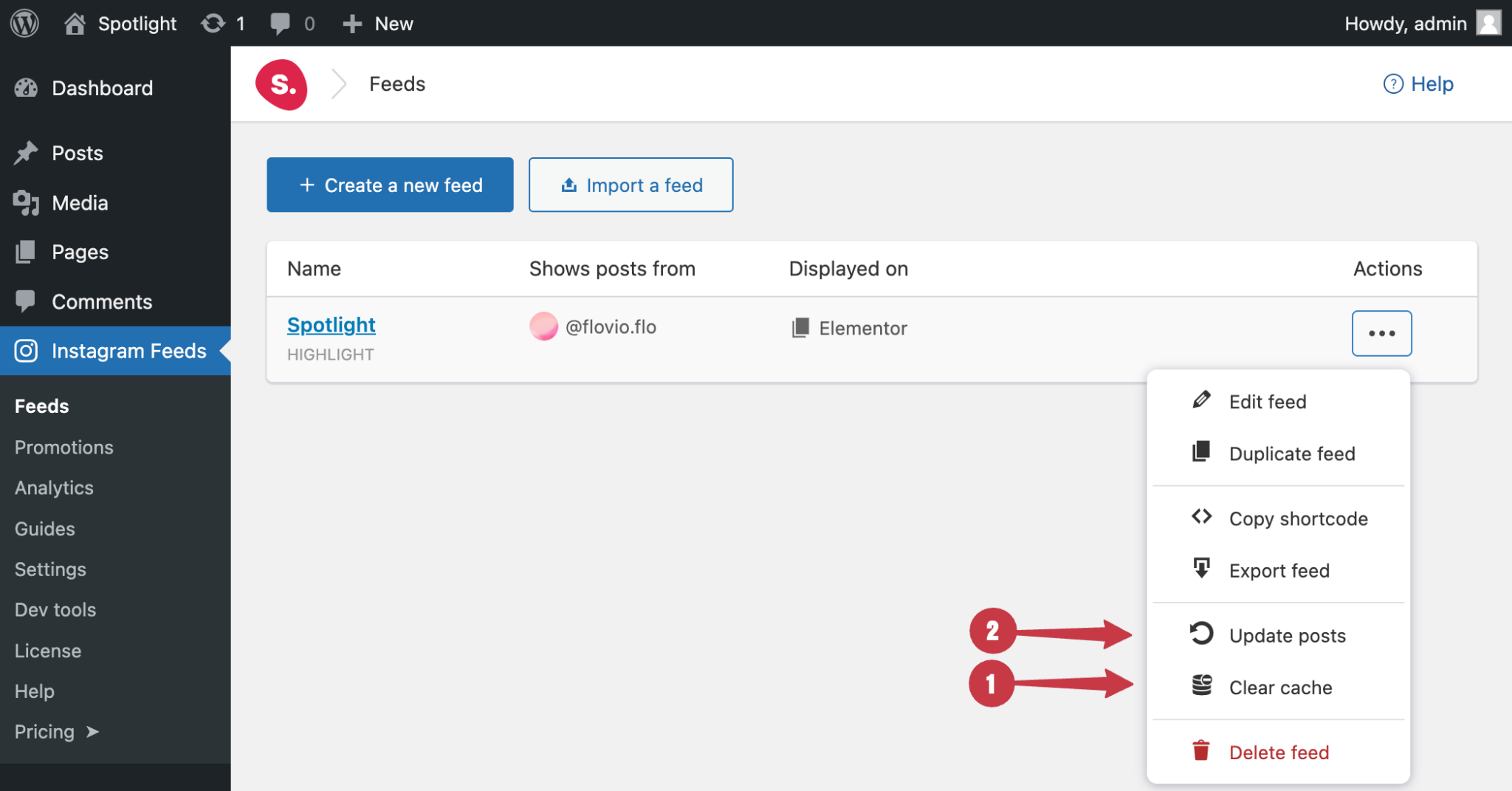
To do this, navigate to Instagram Feeds > Feeds :
- Click on the ellipsis under “Actions”.
- Click on Clear cache.
- Then click on Update posts to re-import your Instagram posts.
For visual guidance, please see the screenshot below :
If the problem persists, please contact support and we'll help you figure it out.
