
Sometimes we may need to reproduce an issue using your Instagram account to see exactly why it may be happening.
Rather than providing us with any login details to your website or Instagram account, we instead use your Access Token and User ID.
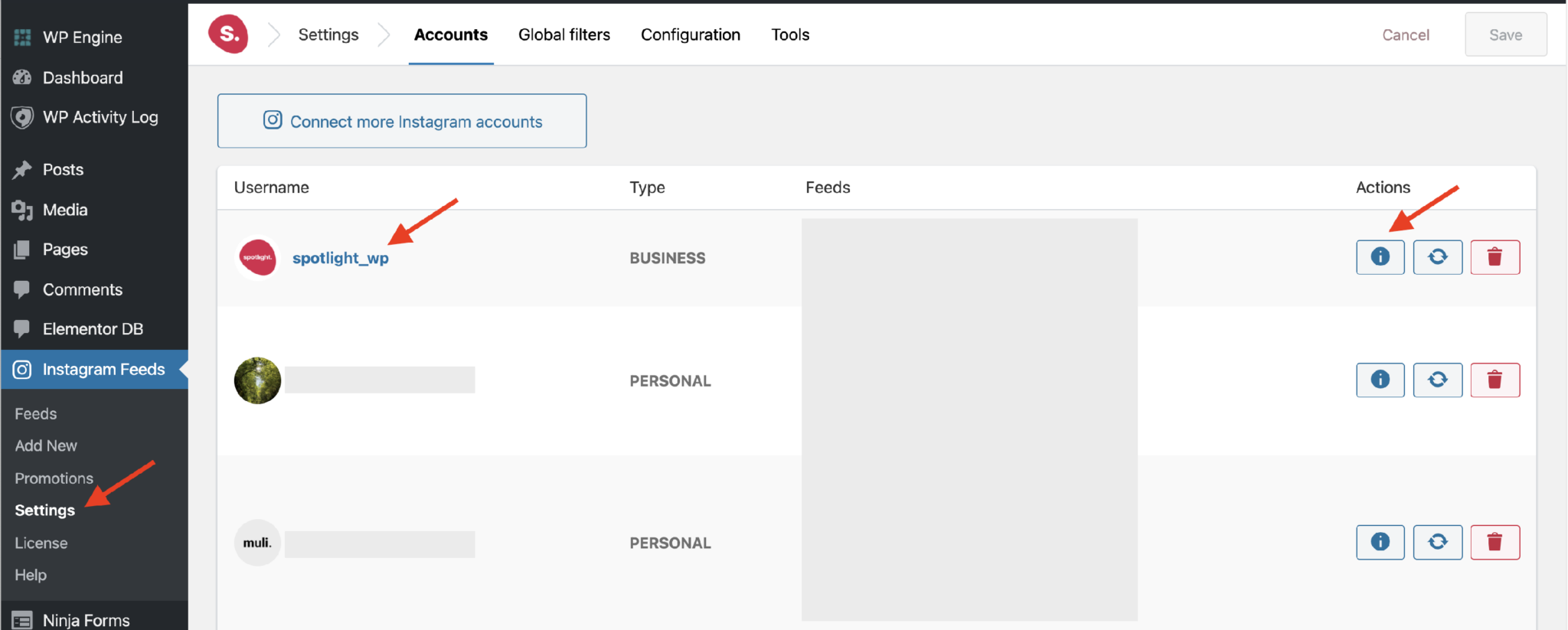
These can be found from Instagram Feeds > Settings > Accounts when clicking to see the account details. They can be opened up by either clicking on the account’s username in the Accounts list, or the “i” icon under Actions on the right of the list, as seen below.
These two details will enable us to connect your Instagram account on our test sites without giving us access to your actual Instagram account in any way. We won’t have access to make any changes whatsoever – only to fetch your Instagram posts on our test site so we can reproduce your issue using your exact setup.
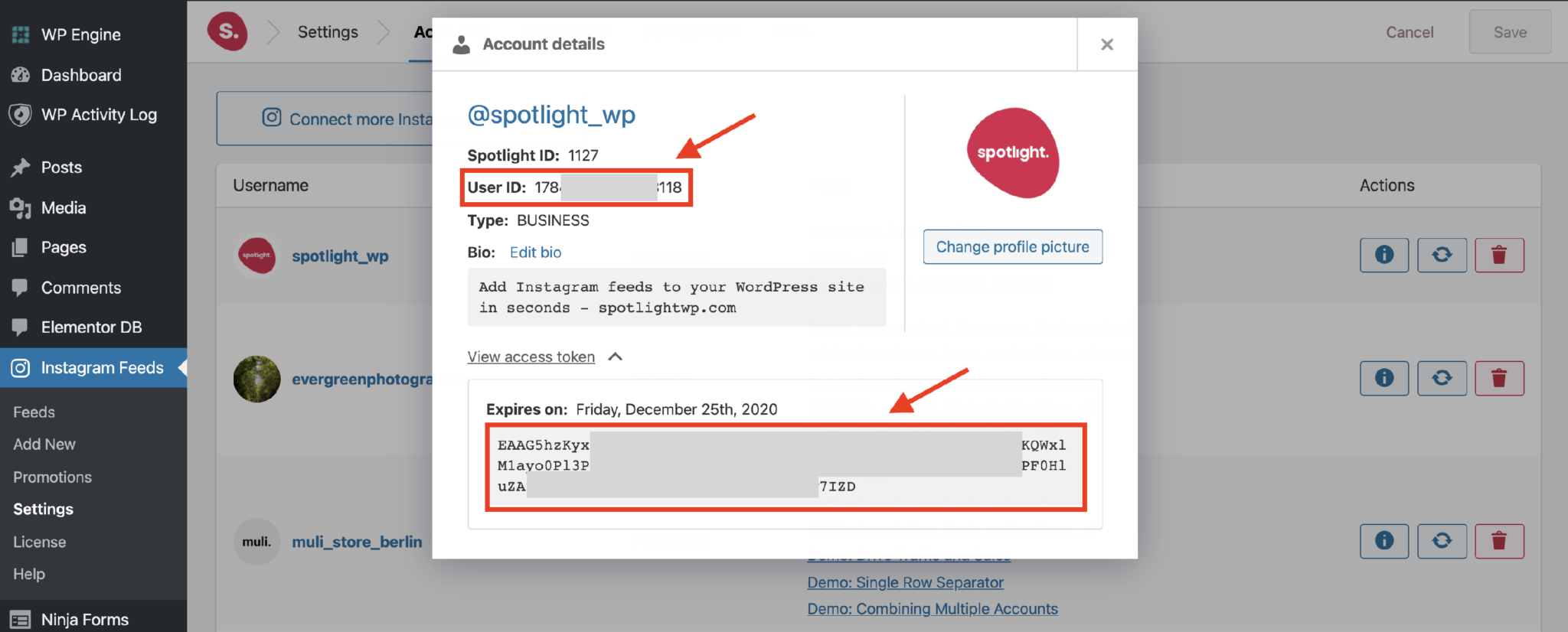
Alternatively, you may also obtain these details using our Access Token Generator tool.
