
Every roundup like this one is written by a company that sells one of the tools in it, and the tool they sell always wins. I work at Spotlight, Spotlight publishes this article, and Spotlight is one of the ten tools below.
What I can do is be straight about where Spotlight fits and where it doesn’t, spell out the free-plan ceilings these articles usually gloss over, and point you at the tool that fits what you’re actually trying to put on the page. I tested all ten hands on.
If you already know you only want Instagram, Spotlight is what I’d install, and there’s a separate comparison of Instagram-only plugins for that decision. If you want Instagram plus Facebook plus TikTok plus reviews in one feed, or you’re running an event wall, Spotlight doesn’t do that and one of the nine below will.
What Instagram requires before any of these will work
Since Meta retired the Instagram Basic Display API on December 4, 2024, personal Instagram accounts no longer connect to any of these plugins. You need a Business or Creator account. Switching is free and takes a minute in the Instagram app.
And because Meta doesn’t allow auto-refresh on Business or Creator tokens, every tool on this list requires you to manually reconnect the account every couple of months. There’s no paid plan anywhere that gets around this. Put a 60-day reminder on your calendar and you’ll never think about it again. More on that here if your feed has stopped updating or gone blank.
All 10 compared at a glance
| Tool | Free plan | Paid from | Combined feed across platforms | Where you build the feed |
|---|
When the feed is built in your WordPress dashboard, the posts land in your database and the plugin renders them on your pages. When it’s built on Juicer, Curator, EmbedSocial, Elfsight, Flockler, or Walls.io, the feed lives on their servers and you paste an embed or a shortcode into WordPress.
Those six cover more platforms and give you more control over moderation. You also pay them every month for as long as you want the feed, and if one of them changes its pricing or shuts down, your feed goes with it.
What this actually costs over three years
Monthly prices hide the real number. You’re picking one of these to keep, not to rent, so the figure that matters is what you’ll have paid by the end of year three. Here’s the arithmetic on the annual-billing rate each company lists, for a combined feed across several platforms on a single WordPress site.
| Tool and plan | Per year | Three years |
|---|
A few things to keep in mind before you read too much into that:
- Elfsight’s $4 and Smash Balloon’s $299 are promotional prices shown next to their undiscounted figures of $6 and $598.
- Flow-Flow’s $49 has no billing period on the page, so it isn’t multiplied out here.
- EmbedSocial bills in euros.
- Every month-to-month rate is higher than the annual-billing figure used above.
- Feed Them Social Combined Streams and Elfsight’s paid plans cover a single site. Smash Balloon’s bundle covers unlimited sites. Walls.io lets you embed one wall on unlimited domains.
- Prices change.
Spotlight isn’t in the table because Spotlight only displays Instagram, and dropping it in next to tools that combine several platforms would be comparing two different jobs. If Instagram is the whole job, the three-year figures are $0 on the free plugin, $177 on Essentials, $297 on PRO, and $597 on Agency for up to twenty sites.
Do these plugins slow down WordPress?
How a tool puts the feed on the page is what decides whether the page slows down when it loads. Two mechanisms are in use across the list. An iframe puts the feed in a separate document loaded inside your page. A script embed writes the feed into your page’s own HTML.
Curator says on its features page that it uses JavaScript rather than iframes “like most other aggregators” so Google can crawl the content, and Smash Balloon says “unlike other plugins, we don’t use iframes.”
Google can crawl iframe content too, so this isn’t a question of whether the posts will be indexed. What changes with an iframe is whose page the content counts on, how much extra loading the browser does, and how much you can style the feed with your own CSS.
The bigger split is where the posts and images actually sit.
| Tool | Where posts live | Where images are served from | How it loads on the page |
|---|
Architecture alone doesn’t decide performance. A well-cached iframe embed on a fast host will beat a badly configured plugin every time.
That said, if page speed matters to you, the tools that write posts into your own HTML and store images on your own server let you run your own image optimization, set your own cache headers, and skip a third-party script request on every page load.
On this list that’s Smash Balloon, Spotlight, Feed Them Social and Flow-Flow. Everything else loads the feed from Curator’s, Juicer’s, Flockler’s, Elfsight’s, EmbedSocial’s or Walls.io’s servers, so you’re trusting their infrastructure to keep up with yours.
The 10 tools, one by one
1. Spotlight, if you only need Instagram

Spotlight does one thing. It displays Instagram inside WordPress, and it combines multiple Instagram accounts and multiple Instagram feed types (posts, hashtag, tagged, shoppable) into a single feed. It does not put Instagram in the same feed as Facebook, TikTok, X, YouTube, or reviews. If that combined feed is what you need, one of the nine tools below is where to look.
The free plugin on wordpress.org gives you more than most free plans on this list: unlimited Instagram accounts, unlimited feeds, a block, a shortcode and a widget to embed with, a lightbox, a custom header with your avatar and bio, and full design customization. No view caps. Most free plans here have a ceiling you’ll hit. Spotlight’s doesn’t.
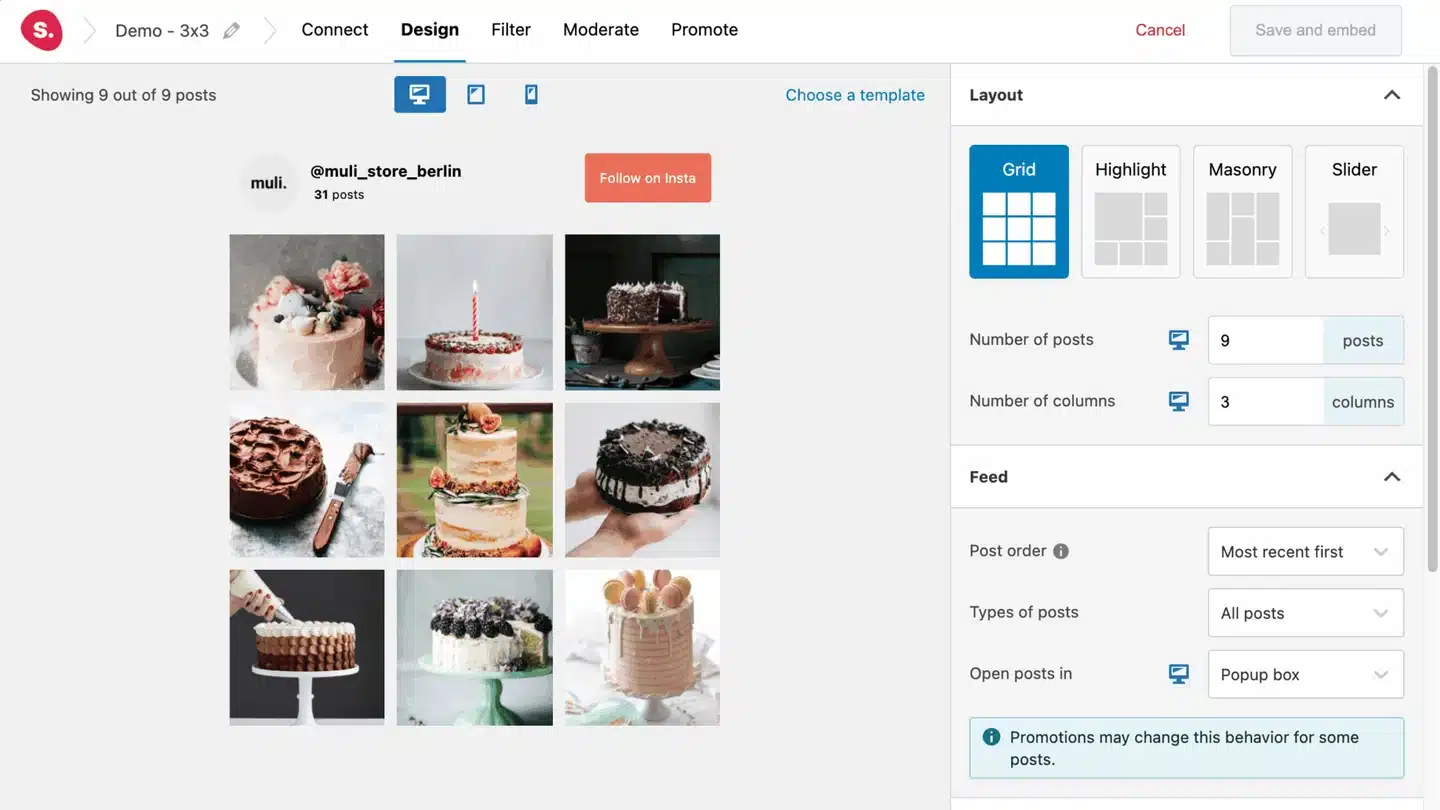
The paid plans add hashtag feeds, tagged feeds, shoppable feeds, moderation, and analytics. Essentials is $59/year, PRO $99/year, Agency $199/year for up to 20 sites.
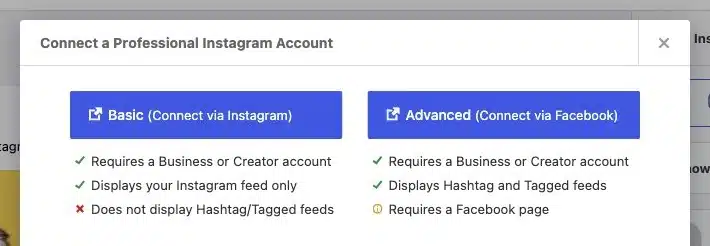
The plugin offers two ways to connect an account: Basic (Connect via Instagram) is faster, and Advanced (Connect via Facebook) is the one that unlocks hashtag and tagged feeds because Meta requires a Facebook page for those. If you’re setting up feeds for a client, the Spotlight access token generator means you never need to ask them for their Instagram login.
2. Smash Balloon Social Wall, for a combined feed built inside WordPress

Smash Balloon Social Wall combines Instagram, Facebook, TikTok, X, and YouTube into a single feed inside WordPress, with Masonry, List, or Carousel layouts. It also does the boring-but-important work of resizing images from each platform to the size your page actually needs, which most social plugins skip.
The catch is the price. Social Wall isn’t sold on its own. It comes inside the All Access Bundle at $299/year, which also gets you the per-platform Pro plugins. If you already own two or three of those, the bundle is easy math. If you just want the one combined feed, it’s the most expensive way here to keep everything inside WordPress.
3. Feed Them Social, on a small budget
Feed Them Social is free on wordpress.org and creates separate feeds for Instagram, Facebook, TikTok, or YouTube. Each one is its own feed. To pull them into a single combined feed, you need the Combined Streams extension at $50/year for a single site. A combined feed can hold one Facebook feed, one Instagram feed and one YouTube feed, but not a second of any. No X, since X started charging for API reads.
4. Flow-Flow, for a wide range of platforms at a low price
Flow-Flow has a free version on wordpress.org that handles up to 4 sources across Facebook, Instagram, X, TikTok, YouTube, and RSS with a masonry layout. The PRO version is listed at $49 with no billing period stated on the page, so check what you’re being charged before you buy. PRO takes you to 14 sources including LinkedIn, Pinterest, and Tumblr, and adds pre-moderation, a lightbox, and Slider, Wall, and Justified layouts.
Streams are built in the WordPress dashboard and dropped in with a shortcode.
5. Elfsight Social Feed, a light widget for quiet sites
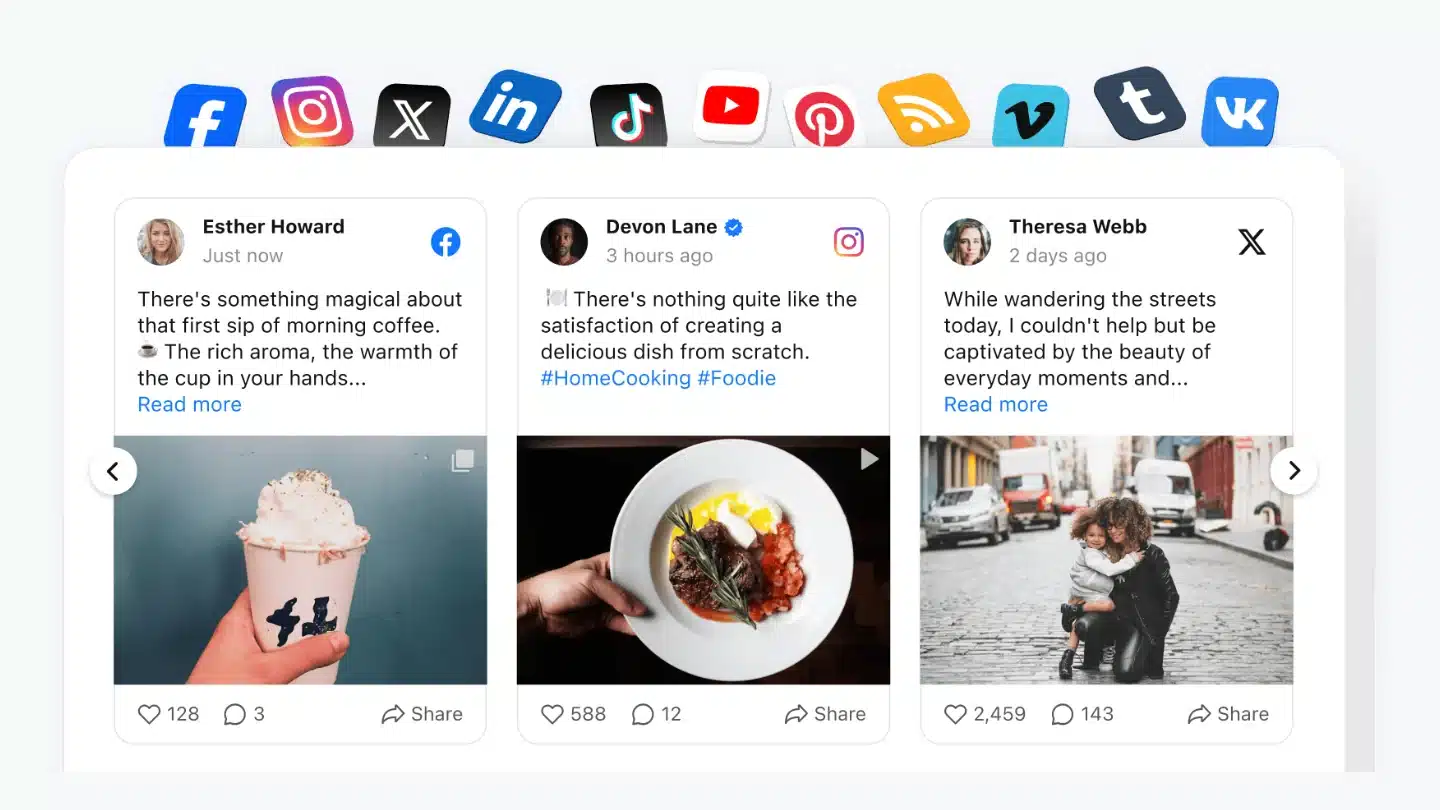
The Elfsight Social Feed widget is built on Elfsight’s site and dropped on any page. It pulls from Instagram, Facebook, TikTok, X, and more. The free plan is capped at 200 views per month and 1 widget with Elfsight branding. That 200-view ceiling is the one you’ll notice. On anything but a very quiet site, you’ll blow past it and the widget deactivates until the next month.
Paid plans start at a promotional $4/mo (Basic, 5,000 views, 3 widgets) or $8/mo (Pro, 50,000 views, 9 widgets), billed yearly. Without the promotion, those are $6 and $12.
6. EmbedSocial, if you want reviews in the same feed as social posts

EmbedSocial is the one to look at if Google Reviews or Trustpilot need to sit alongside your social posts in the same set of widgets. On the free plan you get one source and 500 views a month, which is enough to see whether the tool fits and not much more. Pro is €29/mo and adds Facebook and YouTube widgets. Pro Plus at €49/mo adds Instagram hashtag widgets and LinkedIn. Premium at €99/mo is where X, Trustpilot, and the API come in. Prices are in euros on EmbedSocial’s pricing page rather than dollars. A 7-day trial unlocks everything.
The feed is built and moderated in the EmbedSocial dashboard and placed on the site with their WordPress plugin and a shortcode.
7. Curator.io, if moderation is why you’re here
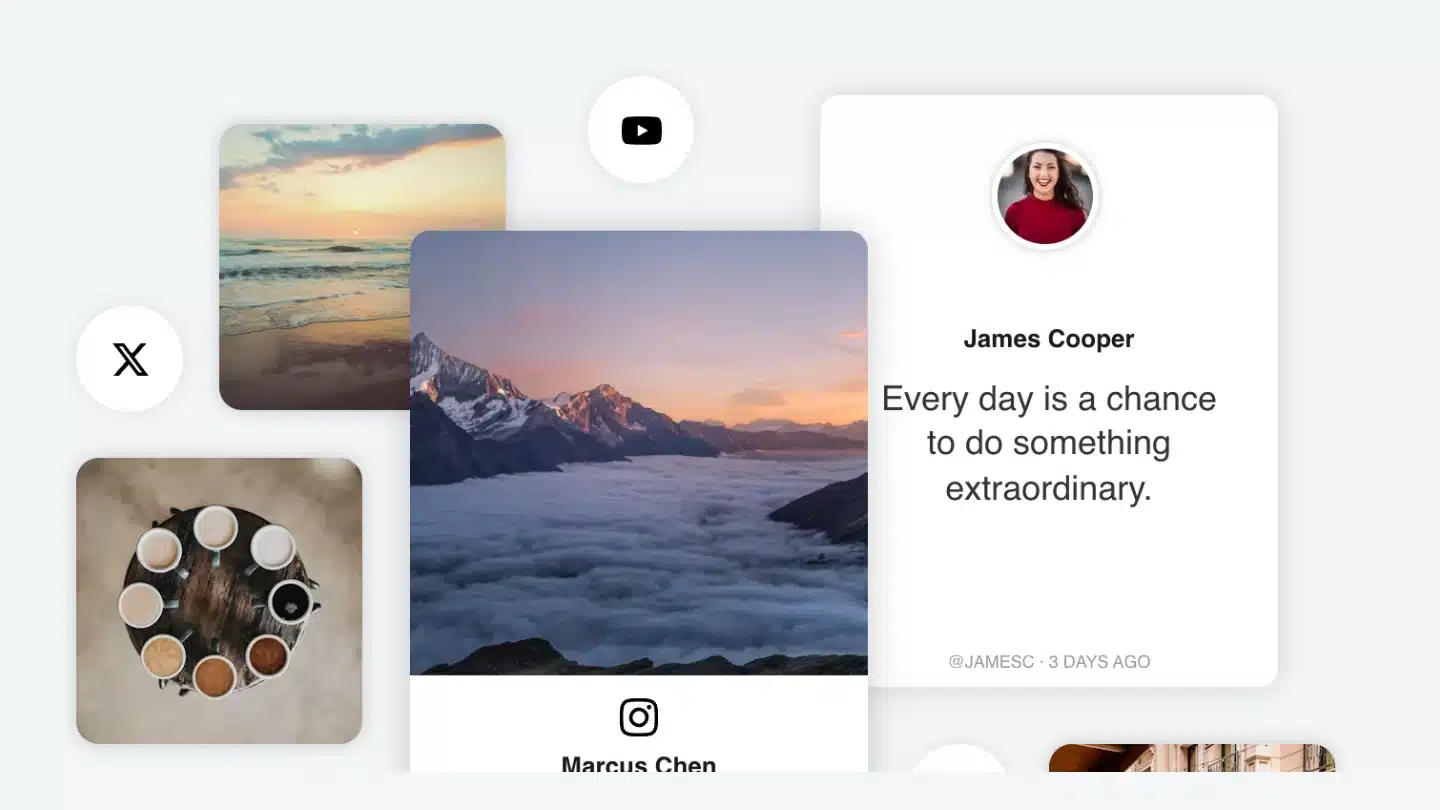
Curator.io is built around deciding what appears. Two approval modes: automatic, where everything goes live and you log in to delete what you don’t want, or manual, where nothing shows until you approve it. Curator auto-rejects profanity, duplicates, specific words, and specific users before anything hits your queue.
Free is 3 sources, 24-hour updates, 2,000 views a month, and a Curator link on the feed. Pro is $23/mo billed yearly (5 sources, hourly updates, 15,000 views, no Curator branding). Business is $54/mo billed yearly (15 sources, 15-minute updates, unlimited views), and the premium sources (LinkedIn Company Page, TikTok hashtags, X, Google Reviews) each take one slot on Business.
Feed is built on Curator and added to WordPress with their plugin via shortcode, or pasted into an HTML block using the embed code.
8. Juicer, a cheap paid plan that covers X and LinkedIn
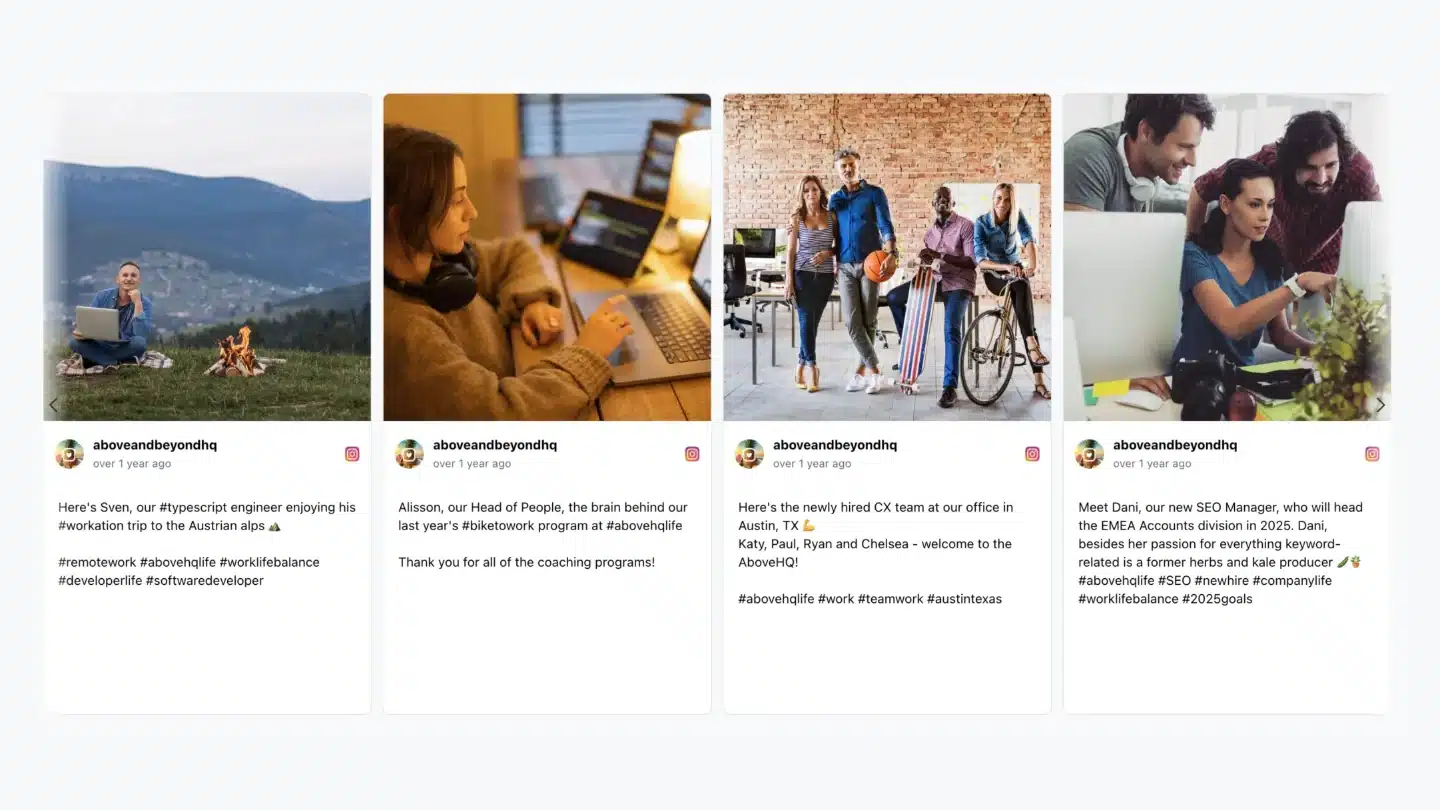
Juicer covers Instagram, Facebook, TikTok, X, LinkedIn, YouTube, Bluesky, and Google Reviews. The free plan is 1 source, 24-hour refresh, Juicer branding, plus one-week trials of X, LinkedIn, and hashtag sources so you can see them working before you decide. Lite is $13.50/mo paid yearly (3 sources, 60-minute refresh, no branding, X and LinkedIn included). Starter at $22.50/mo yearly adds automatic moderation. Pro at $89/mo yearly opens up 30 sources, 10-minute refresh, and AI moderation.
Feed is built at wp.juicer.io and embedded through the WordPress plugin with a shortcode.
9. Flockler, for teams putting the feed on more than a website

Flockler counts each Instagram account, hashtag, or Facebook page pull as one feed, and pricing is built around how many you get. Basic is $110/mo billed yearly for 8 feeds. Business at $195/mo yearly moves you to 15 feeds and adds AI alt text for accessibility and Garde AI moderation. Pro at $325/mo yearly is 30 feeds. Premium is unlimited feeds and adds SSO and API access. 14-day trial, no credit card.
Platforms include Bluesky, TikTok, Facebook, X, Instagram, YouTube, and LinkedIn. Page views are unlimited on every plan. The reason to pick Flockler is that the same feed embeds anywhere you need it: the WordPress site through their plugin, plus intranets, digital signage, and event screens. If the feed is going in more than one place, that’s what you’re paying for.
10. Walls.io, for event walls and live displays

Walls.io is built for social walls that run at events, on kiosks, or as a live homepage centerpiece. Each hashtag or social profile counts as one source. Professional is $215/mo billed annually (10 sources, 15-minute updates, 14 platforms including X, Instagram, Facebook, LinkedIn, TikTok, Bluesky, YouTube, Mastodon, Pinterest, and more, plus posts submitted via a QR code). Premium is $360/mo yearly for 20 sources. Enterprise unlocks realtime one-minute updates.
Every paid plan has unlimited embeds and unlimited page views, a blacklist for users and keywords, manual moderation, AI spam detection, and whitelabel to swap out the Walls.io branding. Add-on packs for Interactivity, Promotion, Events, extra sources, and a Photo Booth sit on top. The trial is 14 days with no credit card, and when it ends the account goes inactive rather than downgrading.
On the WordPress side, a Gutenberg block or a classic-editor button takes your wall URL and drops the wall onto the page. You can embed the same wall on as many sites as you want at no extra cost, which is why conferences with a marketing site, an event page, and a signage screen tend to land here.
Why social media feeds stop working, and when
These tools don’t break because someone shipped a bad build. They break because a platform changed its rules or a company made a business decision the plugin author doesn’t control.
The big one is Instagram. Meta retired the Instagram Basic Display API on December 4, 2024, and every personal Instagram account connected through it stopped feeding posts that day. Switching to a Business or Creator account is free and it’s the only route back.
Business and Creator tokens can’t auto-refresh. That isn’t a plugin limitation, it’s how the Instagram Graph API works, and no plan on any of these tools, at any price, changes it. Every Instagram feed on this list needs the account reconnected every couple of months. If you maintain client sites, put it on a calendar.
The rest of the failure modes are per tool.
| Tool | What changed, or what breaks | What you do about it |
|---|
Knowing which of these applies to the tool you pick is the difference between a quiet feed you can fix in five minutes and an afternoon spent guessing what happened.
Which one to pick
Instagram only. Install Spotlight free. If you need hashtag, tagged, or shoppable feeds, PRO is $99/year.
Two or three platforms combined, small budget. Feed Them Social with Combined Streams, or Flow-Flow PRO.
Multiple platforms combined, everything staying inside WordPress. Smash Balloon Social Wall, if you’re fine with the bundle price.
A cheap, working feed on a low-traffic site. Elfsight on the promotional Basic plan, $4/mo billed yearly for 5,000 views and 3 widgets ($6 without the promo).
X and LinkedIn on a small budget. Juicer, on Lite at $13.50/mo paid yearly.
Reviews in the same widget as social posts. EmbedSocial.
Moderation is the point. Curator.io.
The feed is going on a website plus signage, intranets, or events. Flockler.
A live wall for an event or a big campaign. Walls.io.
On free plans, one thing to watch. Elfsight’s 200 views a month, EmbedSocial’s 500, and Juicer’s one-source cap will bite quickly on a real site. Curator’s free plan is more usable but caps at 2,000 views. Flow-Flow and Feed Them Social have free versions that don’t cap views at all. Spotlight’s free version doesn’t cap views or feeds either, but it’s Instagram only. Build a test page before you build the real one.
Social wall vs social media feed plugin: what’s the difference?
What’s the difference between a social wall and a feed on a page? The same product can often do both, so the difference is one of purpose rather than technology. A feed on a page shows recent posts in a block on a website. A social wall is built to be watched, usually on a screen in a room, updating while people look at it, sometimes taking submissions from the audience through a QR code. Walls.io and Flockler priced and built for that job, with layouts like Kiosk, Carousel and Map and, on Walls.io’s top plan, one-minute updates. Smash Balloon Social Wall uses the same phrase for a combined feed inside WordPress. If nobody’s going to watch the thing update in real time, you don’t need a wall.
If Instagram is what you’re here for