Spotlight 1.8 is out, and it brings two new feed templates: Polaroid Sticker and Thumbnail Gallery. We’ve also changed the first step of making a feed. You now pick a layout before anything else, and the editor opens with it already applied.
Both templates come with Essentials and higher plans. Here’s how each one looks on a page and what you can change.
Polaroid Sticker
Polaroid Sticker shows your posts as instant photos taped to the page. Each one gets a white border, a piece of tape across the top and a slight tilt, and no two lean the same way.
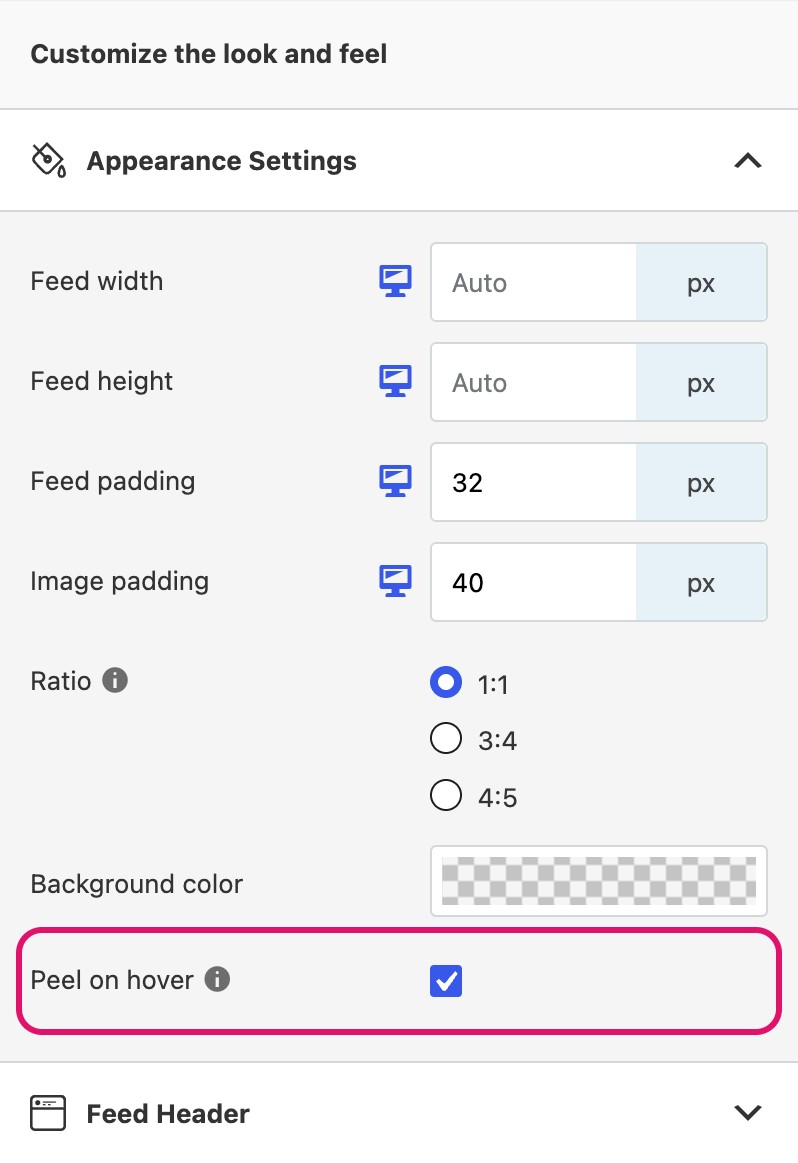
Peel on hover
Hover over a photo and it straightens up. If you’d rather the photos stay tilted, switch off Peel on hover under Design > Appearance Settings. Clicking a photo opens it in the lightbox, the same as in any other Spotlight feed.
This one suits feeds with a bit of personality: a travel blog, a wedding photographer, a dog groomer, a café. It also looks good as a single row with the padding taken out, if you want a strip of photos between two sections of a page.
Columns, post count and spacing work like they do in a regular grid, and you can set each of them separately for desktop, tablet and phone.
Thumbnail Gallery
Thumbnail Gallery puts one post front and center with smaller thumbnails underneath. Click a thumbnail and that post takes the main spot. Click the main post and it opens in the lightbox.
The main post is a 3:4 portrait by default, the shape Instagram now uses on profile grids, so your photos don’t get cropped into squares.
We built it with portfolios, product shots, hotels and travel spots in mind, where people want to see each photo at a decent size. They can flick through your posts without leaving the page.
What you can change:
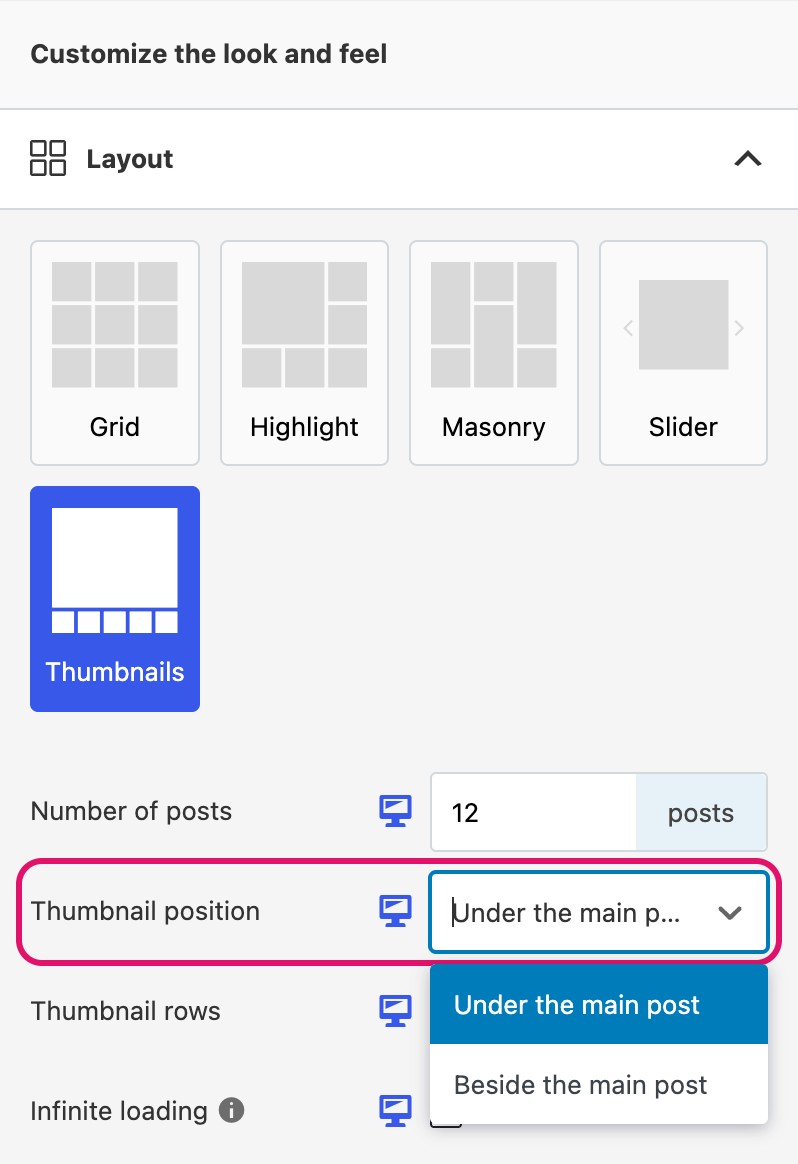
- Thumbnail position: under the main post or beside it. Beside turns the strip into a column next to the image.
- Thumbnail rows: how many rows of thumbnails to show (or columns, when they sit beside the post).
- Thumbnail padding: the space between thumbnails.
- Thumbnail indicator color: the border around the thumbnail that’s currently showing.
If you have more posts than fit in the strip, arrows show up so visitors can scroll through the rest.
New feeds start with a layout
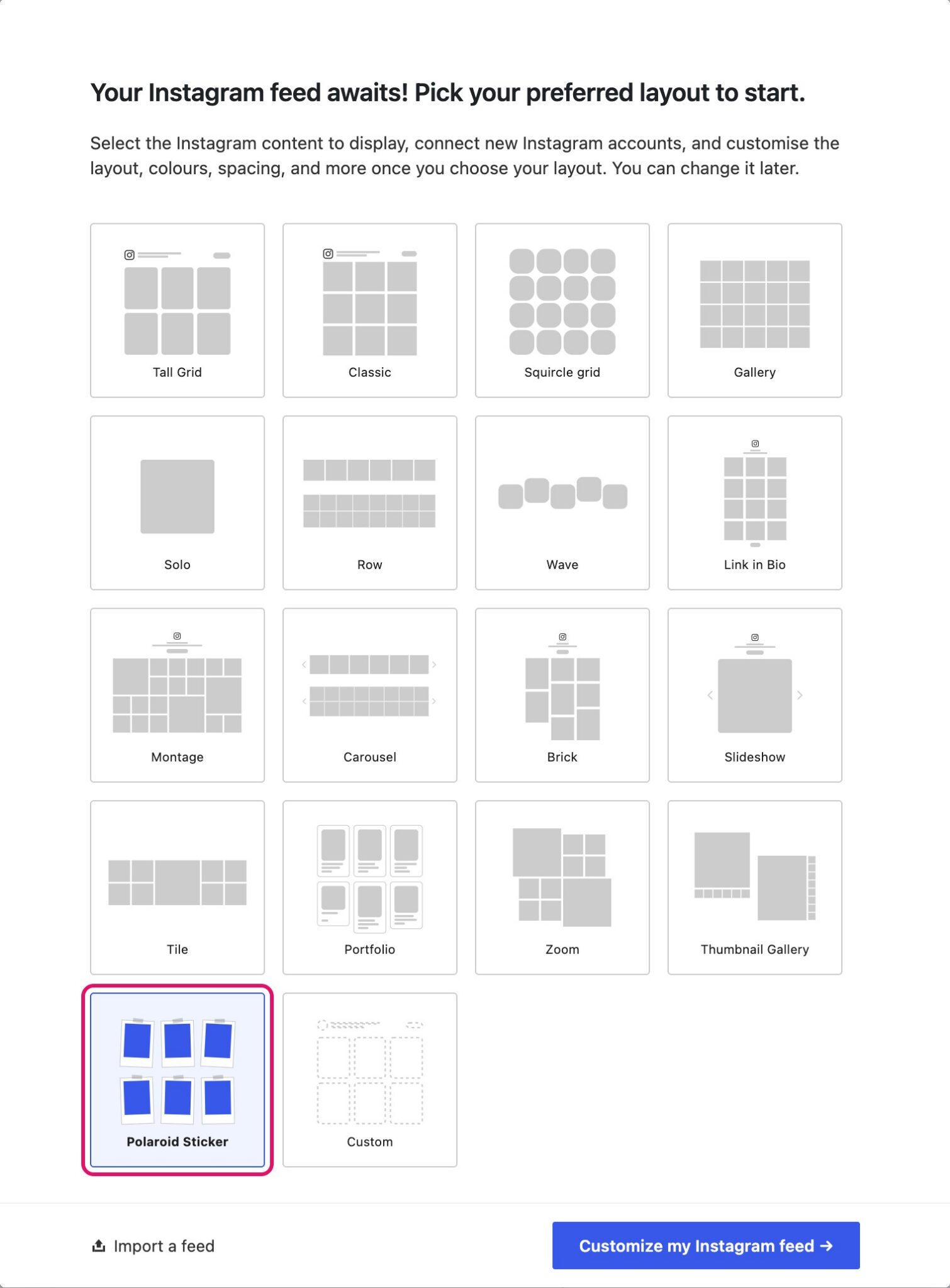
When you click Create a new feed, Spotlight now shows you the layouts before anything else. All 18 are there, including the two new ones.
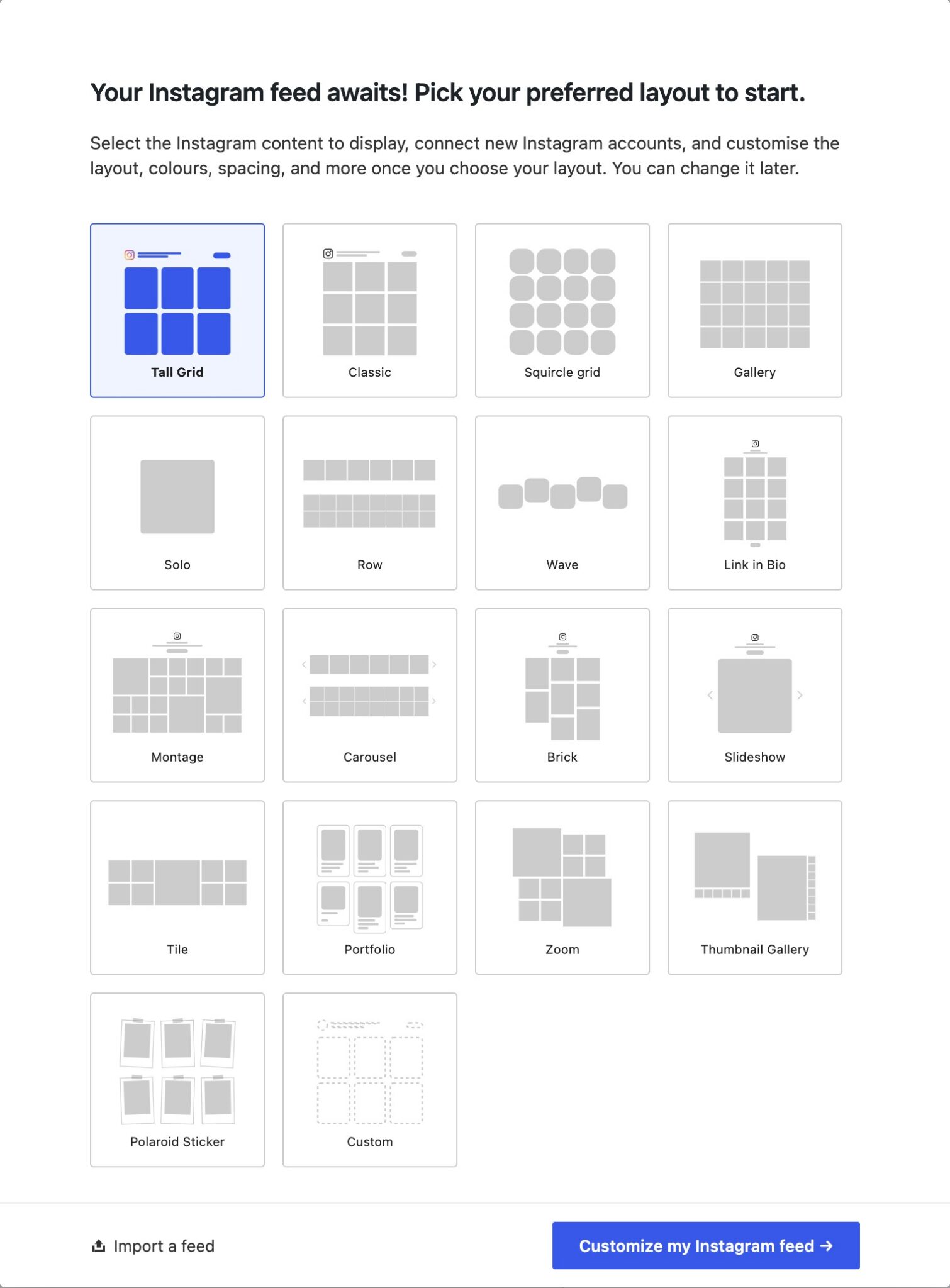
Choose one and click Customize my Instagram feed, and the editor opens with that layout in place. If there’s no Instagram account connected yet, Spotlight takes you through connecting one first.
There’s also an Import a feed option on the same screen. If you’ve exported a feed from another site, paste its code there and pick up from that design.
How to set up a feed with the new templates
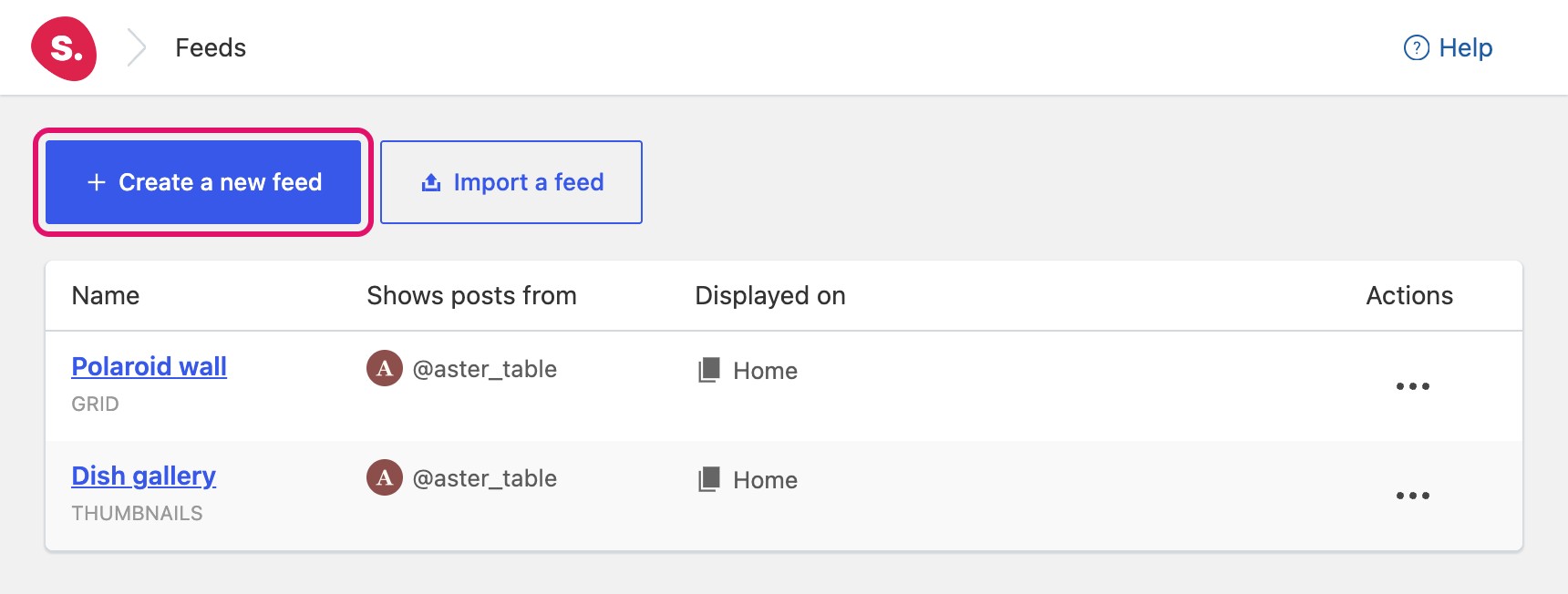
- In your WordPress dashboard, go to Instagram Feeds > Feeds and click Create a new feed.

The Feeds screen in Spotlight. - Select Polaroid Sticker or Thumbnail Gallery, then click Customize my Instagram feed.

Polaroid Sticker selected in the layout picker. - Under Show posts from these accounts, choose the account the feed should use.

The Connect tab of the feed editor. - Open the Design tab to adjust the template. For Polaroid Sticker, the hover effect is under Appearance Settings. For Thumbnail Gallery, the thumbnail options are under Layout.

Polaroid Sticker: Peel on hover, under Appearance Settings. Thumbnail Gallery: Thumbnail position, under Layout. - Click Save, then add the feed to a page with the Spotlight block, the Elementor widget or the feed’s shortcode.

Already have a feed you’re happy with? You can switch it to a thumbnail gallery by choosing the Thumbnails layout under Design.
Also in Spotlight 1.8
- The “Reels videos only” filter now shows Reels, and “Regular videos only” no longer includes them (Essentials and up).
- The Spotlight block works in the newer, iframed version of the WordPress block editor.
- The Follow button is now a single link, so keyboard and screen reader users get one clear control.
- Fixes in the feed editor, including spacing on the new feed screens on mobile.
- Spotlight now requires WordPress 6.3 or later.
Every change is listed in the Spotlight changelog.