
You posted a gorgeous twilight shot of that new listing. Twenty minutes later, 87 likes and a string of heart-eye emojis. Next morning? Zero inquiries in your inbox.
If that sounds like your Tuesday, you’re in good company. According to the National Association of Realtors’ 2024 Technology Survey, social media is the number-one source of quality leads for real estate agents, generating 52% of high-quality leads and beating out both MLS and CRM tools. Yet most agents treat Instagram like a digital billboard: great to look at, impossible to measure, and completely disconnected from the business of selling homes.
The problem isn’t your content. It’s where that content lives. Instagram captures attention, but your website captures the lead. Spotlight bridges that gap by embedding your Instagram feed directly into your WordPress site, complete with listing links, calls to action, and the tools you need to turn every property photo into a path toward a signed contract.
Here are 15 strategies real estate professionals are using to make that happen.
Table of Contents
- Turn Property Photos Into Lead Magnets
- Link Listings Directly to Property Pages
- Showcase Virtual Tours and Open Houses
- Build Trust with Client Success Stories
- Target Local Markets with Location-Based Feeds
- Create Seasonal Property Campaigns
- Connect Contact Forms for Instant Inquiries
- Use Analytics to Track High-Converting Properties
- Manage Multiple Agent Accounts from One Dashboard
- Optimize for Mobile Property Searches
- Use Lightboxes to Give Buyers the Full Picture
- Cross-Promote Related Properties
- Boost Local SEO with Neighborhood Content
- Automate Your Property Marketing Pipeline
- Avoid Common Real Estate Instagram Mistakes
1. Turn Property Photos Into Lead Magnets
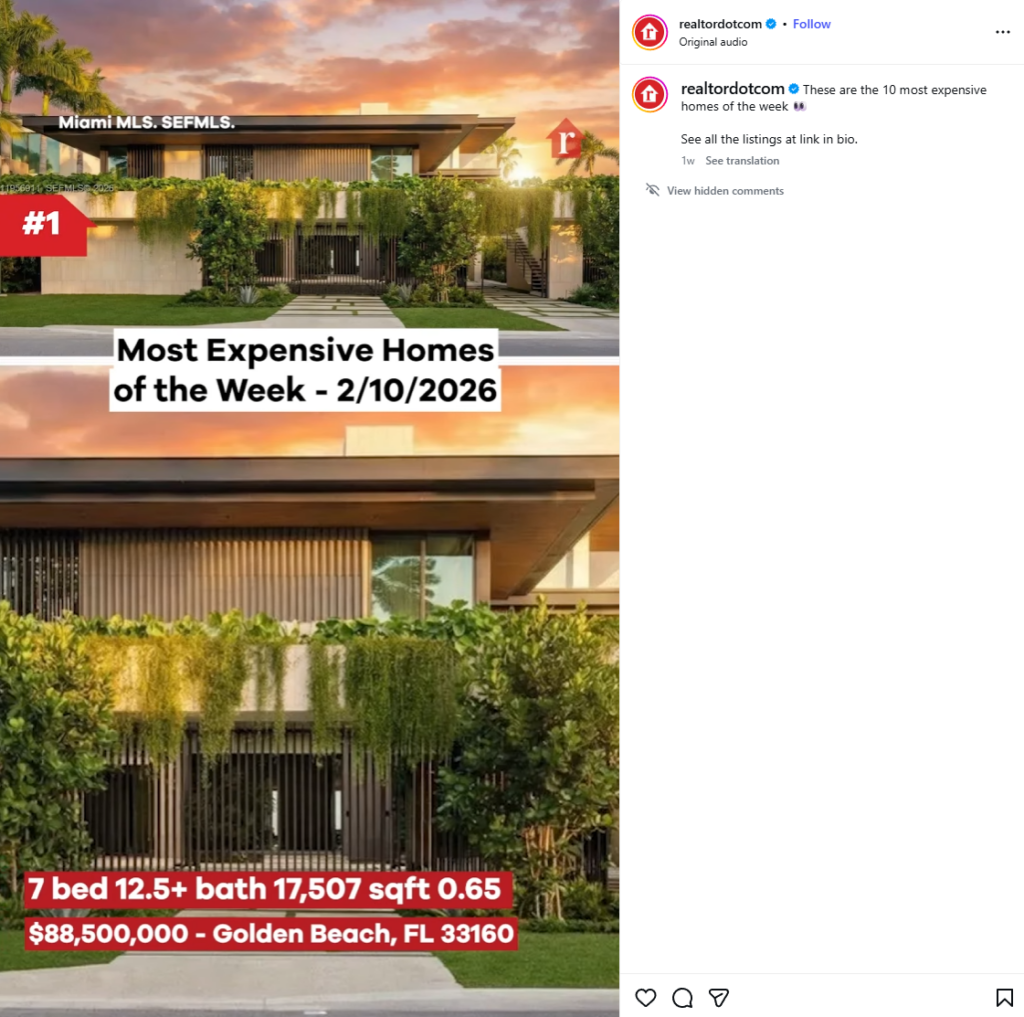
You’re already taking great property photos for Instagram. Spotlight lets you put those photos to work on your website by linking each one to a listing page, inquiry form, or showing request.
Why it works for real estate: Buyers browsing your site see a property that catches their eye and can get details immediately. You’re capturing interest at peak intent instead of hoping they’ll remember to DM you later. If the Instagram post you want to share has a hook (like that example above) even better.
How to set it up:
- Use Spotlight’s Promote feature to attach listing page links to individual property posts
- Set up a global “Get Property Details” call to action across your entire feed using shoppable feed functionality
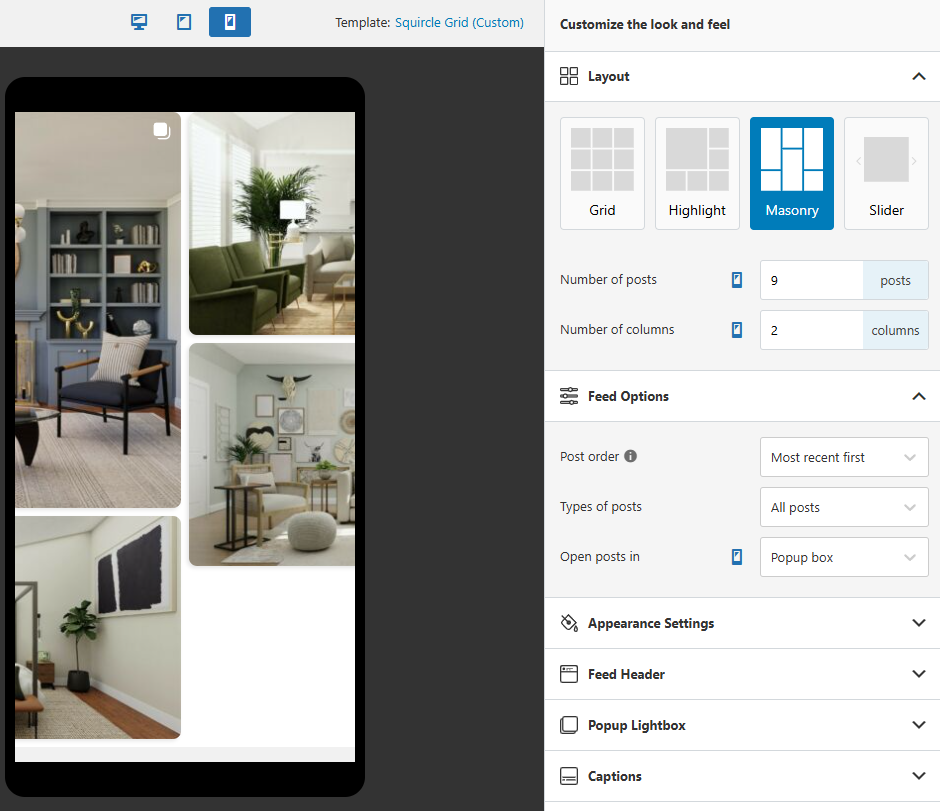
- Choose the Masonry layout to display property photos in their original aspect ratios, so vertical interiors and horizontal exteriors both look their best
Pro Tip: Link your luxury listings directly to private showing request forms. Those $800K+ properties with high Instagram engagement? That’s your highest-intent audience. Make the path from photo to inquiry as short as possible.
2. Link Listings Directly to Property Pages
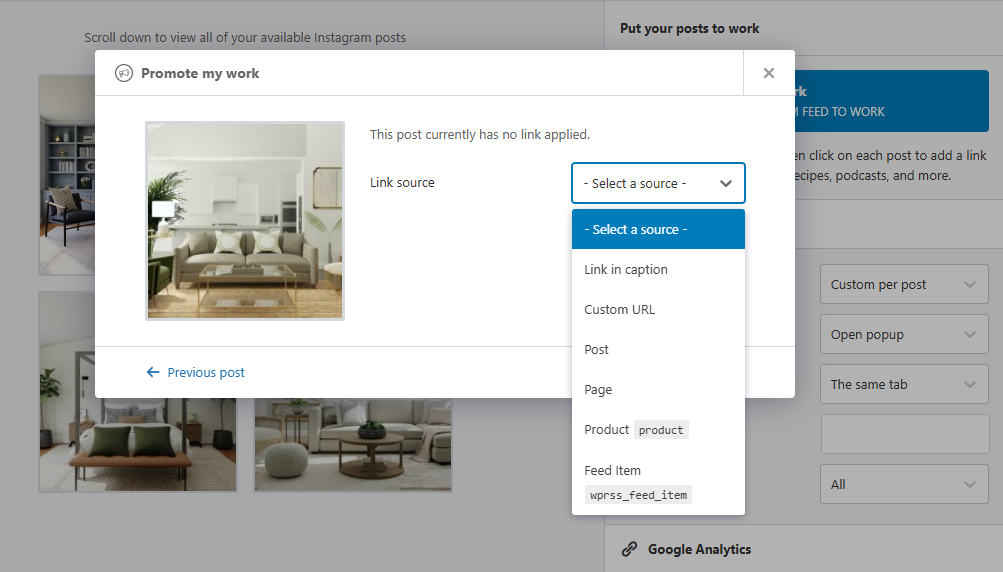
Every Instagram post of a property you’ve listed should connect to its full listing page, whether that’s on your website, your MLS-integrated IDX page, or a dedicated landing page with all the property details.
Why it works for real estate: According to NAR, photos are the single most valued content on real estate websites, with 41% of buyers ranking them above detailed property info and floor plans. When a buyer sees your Instagram photo on your website, one click should give them square footage, pricing, and a way to schedule a showing.
How to set it up:
- Create individual Promote links for each active listing, connecting the Instagram post directly to its IDX or property detail page
- Set up a Link in Bio page as a property directory where each post links to its full listing
- Update links when properties go under contract or sell, swapping them for “Similar Properties” or “Just Sold” pages to keep the traffic working
Pro Tip: Create a dedicated “Featured Listings” page on your site with a Spotlight feed filtered to your newest properties. Update it weekly and share it in your email newsletter. It gives subscribers a reason to visit your site every week.
3. Showcase Virtual Tours and Open Houses
Virtual tours have become a non-negotiable in real estate marketing. A 2025 study published in Information Systems Research found that listings with virtual tours sell in roughly half the time, with average days-on-market dropping from 34 to 19. Instagram Reels of property walkthroughs are some of the highest-engagement content in real estate right now.
Why it works for real estate: Buyers increasingly expect video content before visiting a property in person. Embedding your Instagram Reel walkthroughs on your website puts that content where buying decisions actually happen, not on a platform you don’t control.
How to set it up:
- Post property walkthrough Reels to Instagram, then embed the feed on your listings pages with Spotlight
- Enable the lightbox feature so visitors can expand video tours to full screen without leaving your site
- Use the Slider layout to create a scrollable carousel of open house announcements and virtual tour teasers
Pro Tip: Post a Reel walkthrough 48 hours before every open house. The Instagram engagement promotes the event, and the same video on your website pre-qualifies visitors. Buyers who’ve already “toured” the home virtually show up more serious and ready to make offers.
4. Build Trust with Client Success Stories
BrightLocal’s 2024 Consumer Review Survey found that 75% of consumers always or regularly read online reviews before making a decision. In real estate, where the stakes are measured in six figures, that number is almost certainly higher and User Generated Content (UGC) is much more high stakes. Instagram posts showing happy clients at their closings, standing in front of their new homes, or sharing their experience carry weight that no sales pitch can match.
Why it works for real estate: Social proof is the most persuasive tool in real estate marketing. A feed of real clients in real moments tells potential buyers: “This agent delivers.”
How to set it up:
- Create a tagged post feed in Spotlight PRO that automatically pulls in photos where past clients tag you
- Build a branded hashtag feed (something like #SoldByJane or #[YourName]Homes) using hashtag feeds and display it on your About page or testimonials section
- Use Spotlight’s moderation tools to curate the best client moments for your website
Pro Tip: Ask happy clients to post a photo with their new keys and tag your account. Offer to take the photo yourself right after closing. Those authentic moments build a library of social proof that updates itself over time.
5. Target Local Markets with Location-Based Feeds
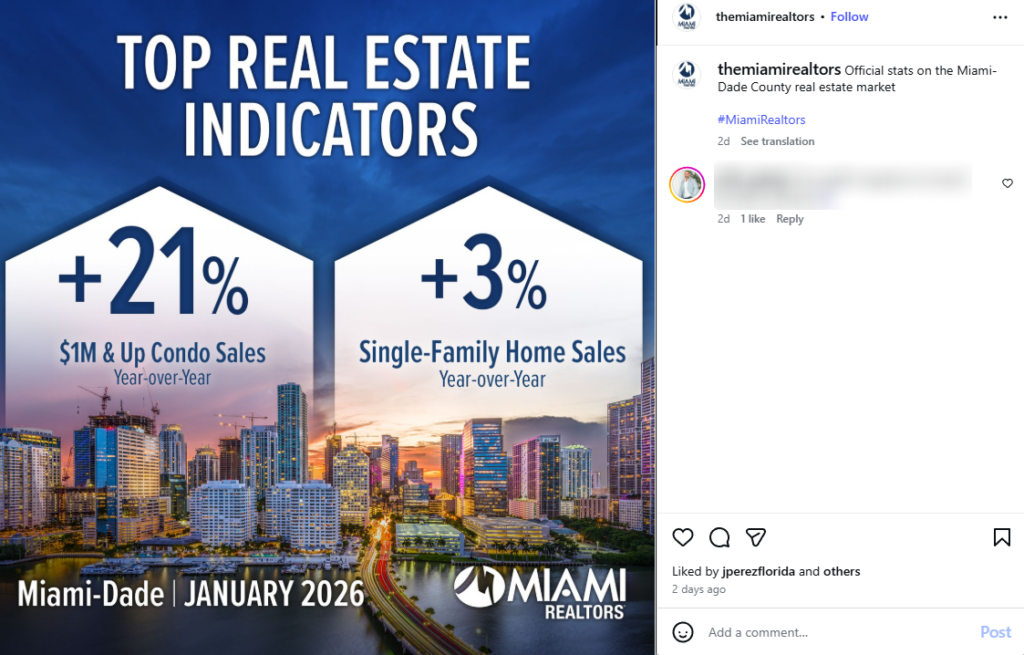
Real estate is local. A buyer looking for a home in Miami doesn’t care about your listings in Phoenix. Location-specific Instagram content, filtered into location-specific feeds on your website, speaks directly to the neighborhoods where you want to generate leads.
Why it works for real estate: 46% of all Google searches have local intent. Buyers searching “homes for sale in [neighborhood]” expect to see content relevant to that exact area. Showing them the right properties in the right location builds confidence that you know their target market.
How to set it up:
- Create neighborhood-specific hashtags for your Instagram posts (#JaneSmithScottsdale, #JaneSmithOldTown) and build separate feeds for each area
- Use Spotlight PRO’s hashtag feed feature to filter content by location-based hashtags
- Embed each neighborhood feed on the corresponding area page of your website
Pro Tip: Post local content that isn’t just listings. Coffee shops, parks, farmers markets, school highlights. Buyers are choosing a neighborhood, not just a house. That local content builds authority and keeps your feed active between listings.
6. Create Seasonal Property Campaigns
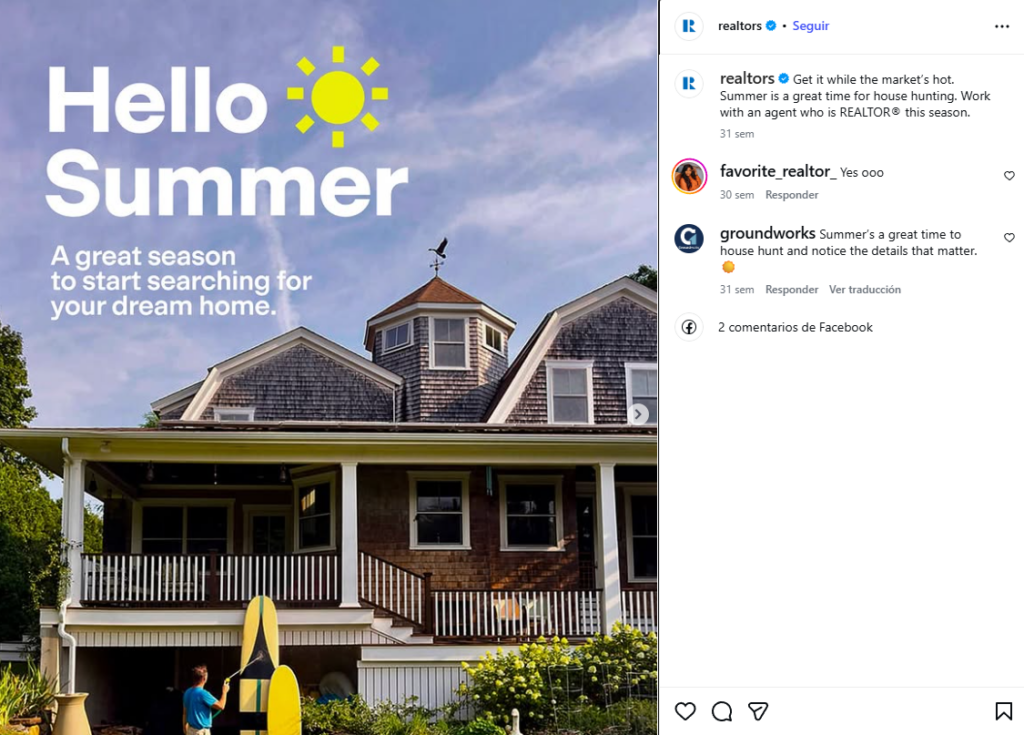
Real estate demand follows predictable seasons. Spring listings, fall “price reduced” campaigns, holiday staging content, summer outdoor living features. Your Instagram content should match what buyers are searching for right now, and your website should reflect the same energy.
Why it works for real estate: Someone searching for “homes with pools” in June should land on a website showing pool photos and outdoor entertaining spaces, not your December holiday staging shots. Matching your visual content to the buying season signals relevance and availability.
How to set it up:
- Create seasonal hashtags (#JaneSmithSpringListings, #JaneSmithPoolHomes) and post content using them as each season approaches
- Build seasonal feeds in Spotlight using hashtag filtering and rotate them on your homepage or landing pages
- Attach seasonal CTAs using the Promote feature: “Summer Open Houses This Weekend” or “New Fall Listings Available”
Pro Tip: Start your seasonal content rotation six weeks before peak search periods. Buyers planning to move in summer are searching in March and April. Your website should already look like summer by then.
7. Connect Contact Forms for Instant Inquiries
The biggest win isn’t showing Instagram content on your site. It’s connecting that content to a way for buyers to reach you. Every property photo in your Spotlight feed should be one click away from an inquiry form or scheduling tool.
Why it works for real estate: Speed matters. The agent who responds first wins the client the majority of the time. When your visual content links directly to contact forms, you’re capturing leads while the interest is fresh.
How to set it up:
- Use the Promote feature to link property photos to dedicated contact pages with pre-filled property details
- Set up a global promotion linking your entire feed to a general inquiry form on your site
- Create specific CTAs for different situations: “Schedule a Showing” for active listings, “Get a Free Home Valuation” for your sold posts
Pro Tip: Build separate landing pages for different property types. Link luxury listing photos to a “Private Showing Request” form. Link starter homes to a “First-Time Buyer Consultation” form. The more specific the path, the higher the conversion rate.
8. Use Analytics to Track High-Converting Properties
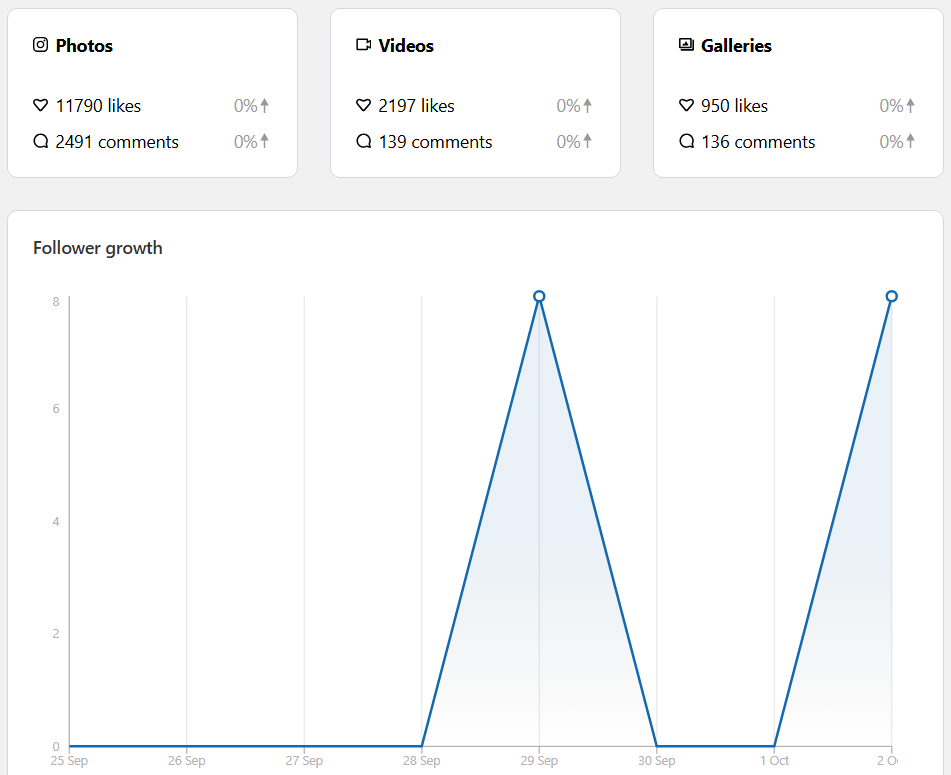
Instagram tells you what gets likes. Spotlight’s analytics tell you what gets clicks on your website, which is where the money is. If your pool photos get massive Instagram engagement but your kitchen renovation posts drive more website clicks, that’s insight you can act on.
Why it works for real estate: You need to know which property types, price ranges, and features generate the most interest from your website visitors. Data-driven agents can focus their marketing and content strategy on what actually moves the needle.
How to set it up:
- Enable analytics tracking in your Spotlight dashboard to monitor which posts generate the most engagement on your website
- Compare your Instagram engagement against Spotlight click-through data to identify content that converts, not just content that performs on social
- Adjust your content calendar based on what your website visitors respond to
Pro Tip: Track your highest-click properties and cross-reference with your CRM data. If three-bedroom homes in a specific neighborhood consistently drive the most website clicks, double down on that content and target your paid ads accordingly.
9. Manage Multiple Agent Accounts from One Dashboard
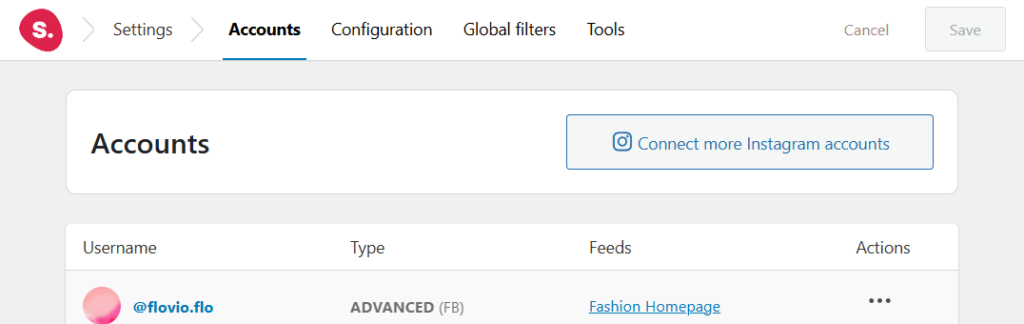
If you’re running a brokerage with multiple agents, or managing properties across different markets, you need Instagram feeds for each one. Spotlight connects unlimited Instagram accounts on every plan, so each agent’s feed can live on their own profile page or market area.
Why it works for real estate: Buyers want to see their specific agent’s work, not a generic company feed. Individual agent feeds build personal connections and let potential clients evaluate agents before reaching out.
How to set it up:
- Connect each agent’s Instagram account to Spotlight (unlimited accounts on all plans)
- Create agent-specific feeds with individual Promote links pointing to each agent’s contact page
- Embed each agent’s feed on their team profile page on your brokerage website
- Set up a combined brokerage feed on your main page pulling content from all agent accounts
Pro Tip: Let each agent customize their feed’s look to match their personal brand within your brokerage’s design guidelines. An agent who specializes in luxury properties might use a Masonry layout, while your commercial specialist uses a clean Grid.
10. Optimize for Mobile Property Searches
According to NAR’s 2024 data, 100% of home buyers use the internet in their property search, and 72% use a mobile device or tablet. If your website’s Instagram feed doesn’t look right on a 6-inch screen, you’re losing half your potential leads before they even see your listings.
Why it works for real estate: Buyers scroll through property options on their commute, during lunch, and in bed at night. Your feed needs to work seamlessly on every device.
How to set it up:
- Use Spotlight’s device-specific preview to check your feed on desktop, tablet, and mobile before publishing
- Adjust columns per device: 3-4 on desktop, 2 on tablet, 1 on mobile for full-width property photos
- Keep CTAs and Promote buttons large enough for comfortable tapping on touchscreens
- Show fewer posts on mobile with a “Load More” button to maintain fast page speeds on cellular connections
Pro Tip: Vertical photos of home interiors naturally fill a phone screen and create a more immersive experience. If you’re shooting content specifically for your website feed, shoot vertical. It’ll look native on the device where most of your buyers are browsing.
11. Use Lightboxes to Give Buyers the Full Picture
A small thumbnail of a closing day photo is nice. That same photo expanded to full screen, with your client’s testimonial in the caption? That’s persuasive. Spotlight’s lightbox feature lets visitors tap any photo to see it at full size along with the complete Instagram caption.
Why it works for real estate: Time on site correlates with lead conversion. Lightbox browsing keeps potential buyers engaged with your content longer, and every extra second they spend looking at your properties increases the chance they’ll reach out.
How to set it up:
- Enable lightbox mode in your Spotlight feed settings
- Write detailed Instagram captions that read well in lightbox view: include property highlights, neighborhood context, and a clear next step
- Add Promote links inside the lightbox so buyers can inquire directly from the expanded view
Pro Tip: Post a series of photos telling each client’s journey: the initial search, the showings, the offer, the closing. When someone browses these in Spotlight’s lightbox, it plays out like a visual case study that ends with a “Work with Me” button.
12. Cross-Promote Related Properties
A buyer who likes that three-bedroom colonial probably wants to see similar homes in the same price range. Spotlight lets you create filtered feeds that group related properties, turning a single listing inquiry into exposure for your entire portfolio.
Why it works for real estate: Showing related listings keeps buyers on your site longer and increases the odds they’ll find something that fits. It also demonstrates depth in your market, which builds confidence in your expertise.
How to set it up:
- Categorize your listings with hashtags by type (#JaneSmithCondos, #JaneSmithSingleFamily, #JaneSmithUnder500K)
- Build filtered feeds for each category and embed them on corresponding listing pages
- Place a “Similar Properties” Spotlight feed below each active property listing on your site
Pro Tip: Create a “Just Sold” feed filtered to show recently sold properties in the same neighborhood as your active listing. It provides comparable sales data in a visual format and subtly communicates that homes in this area move fast.
13. Boost Local SEO with Neighborhood Content
Here’s where Instagram content does double duty for your real estate digital marketing. Google prioritizes fresh, relevant content in local search results. A Spotlight feed on your neighborhood pages adds new visual content every time you post to Instagram, signaling to search engines that your page is active and current.
Why it works for real estate: When someone searches “best neighborhoods in [your city]” or “homes for sale in [neighborhood],” pages with recent, relevant content rank higher. Your Instagram content about local restaurants, community events, and neighborhood highlights strengthens those pages without extra work.
How to set it up:
- Create neighborhood-specific pages on your WordPress site (if you haven’t already)
- Post Instagram content about each neighborhood with location-specific hashtags
- Embed filtered Spotlight feeds on each neighborhood page, pulling in only content tagged for that area
- Include location keywords in your Instagram captions, since Spotlight embeds caption text that search engines can index
Pro Tip: Post two or three pieces of neighborhood content per week that aren’t just listings. Restaurant visits, park walks, local event coverage. This keeps your feeds active between listings and does meaningful work for your local SEO authority.
14. Automate Your Property Marketing Pipeline
The best real estate social media marketing feels effortless to the buyer but runs on solid systems behind the scenes. Spotlight feeds update automatically when you post to Instagram, so your website’s property content stays current without you manually uploading photos or updating pages.
Why it works for real estate: You’re already posting to Instagram. Spotlight eliminates the extra step of updating your website. Post once, and your feed, listing page, neighborhood page, and testimonials section all update at the same time.
How to set it up:
- Plan your Instagram posting schedule around your listing calendar: new listing photos early in the week, neighborhood content midweek, client stories on weekends
- Let Spotlight’s dynamic feeds pull new content automatically to every page where they’re embedded
- Use filtering and moderation to ensure only the right content appears on each page
- Connect your Promote links to CRM landing pages so leads from your Instagram content get routed into your follow-up system
Pro Tip: A consistent posting schedule combined with hashtag-based filtering means your Spotlight feeds organize themselves. Monday’s listing goes to the listings page. Wednesday’s neighborhood walkthrough goes to the area page. Friday’s closing day photo goes to the testimonials feed. No manual sorting required.
15. Avoid Common Real Estate Instagram Mistakes
Before we wrap up, let’s cover the pitfalls that waste agents’ time and money on Instagram marketing.
The mistakes to watch for:
- Posting without linking. Beautiful property photos that don’t connect to anything on your website are free content for Instagram’s platform. Use Spotlight’s Promote feature on every post.
- Ignoring mobile. If you haven’t checked your Instagram feed on a phone recently, do it today. Over half your audience is browsing on mobile.
- Generic captions. “Beautiful home in a great neighborhood” tells buyers nothing. Include the neighborhood name, standout features, and a clear call to action in every caption.
- No moderation. If you’re using tagged posts or hashtag feeds, always enable moderation. One off-brand tagged photo can undermine the trust you’ve built.
- Treating Instagram and your website as separate channels. They should work together. Instagram generates awareness. Your website converts it. Spotlight connects the two.
Pro Tip: Audit your current Instagram content through the lens of lead generation. For every post, ask: “If someone sees this on my website, what do I want them to do next?” If you don’t have an answer, you need a Promote link to give them one.
Your Instagram Feed Is Your New Open House
Real estate agents spend thousands on professional photography, staging, and Instagram marketing. That investment pays off in engagement. But engagement on a platform you don’t own is only half the equation. The other half is connecting that content to your website, where buyers can actually take action.
These 15 strategies come down to one principle: every piece of Instagram content you create should do real work on your WordPress site. Property photos link to listings. Client stories build trust. Neighborhood content strengthens local SEO. And analytics show you what’s working so you can do more of it.
Spotlight makes this simple. The free version gives you unlimited feeds and full design customization to get started. When you’re ready for hashtag feeds, tagged post moderation, and shoppable promotions, Spotlight PRO starts at $99/year. You can see how other businesses use Spotlight to drive real results.
Your Instagram feed is already doing the hard work of making your properties look great. Now make it generate leads, not just likes.
Have questions about setting up Instagram feeds for your real estate business? Let’s talk about them in the comments section below!