Spotlight and Smash Balloon both let you display an Instagram feed on your WordPress site. Both support responsive feeds, multiple accounts and design customization.
We build Spotlight, and this comparison looks at what each plugin offers for your site. Which one you should choose comes down to the features you actually need, the way you connect your Instagram account, and what you want your renewal bill to look like next year.
The main reasons to choose each plugin are:
-
Choose Spotlight if you want a free popup lightbox, need WordPress product selection and hashtag-based linking in PRO, or prefer its current locked renewal pricing.
-
Choose Smash Balloon if its Plus or Elite site allowances fit your projects, or you also need the separate social-feed plugins in its All Access Bundle. Compare that bundle with your wider requirements, rather than treating it as part of Instagram Feed alone.
At-a-glance comparison
| Feature | Spotlight | Smash Balloon |
|---|
Prices are in USD. Site allowances and required connection permissions also matter; compare the plan for the feature you need.
Free Feeds: What Can You Do Without Paying?
Both plugins offer free versions in the WordPress plugin directory that let you show an active Instagram feed on your site without writing code.
The Spotlight free plugin lets you connect an unlimited number of accounts and display unlimited feeds across your website. You can combine multiple accounts into a single feed, display photos, videos, reels, and carousel galleries, and use pre-designed templates with over 20 customization settings. Spotlight Free includes a popup lightbox, per-device responsive controls, and custom feed headers with your avatar and bio.
Smash Balloon’s free plugin (listed as Smash Balloon Social Photo Feed) also supports multiple accounts, multiple feeds, responsive mobile layouts, and custom feed headers with follow buttons. It includes local WebP image support and one-click GDPR compliance settings.
What forces an upgrade in each plugin?
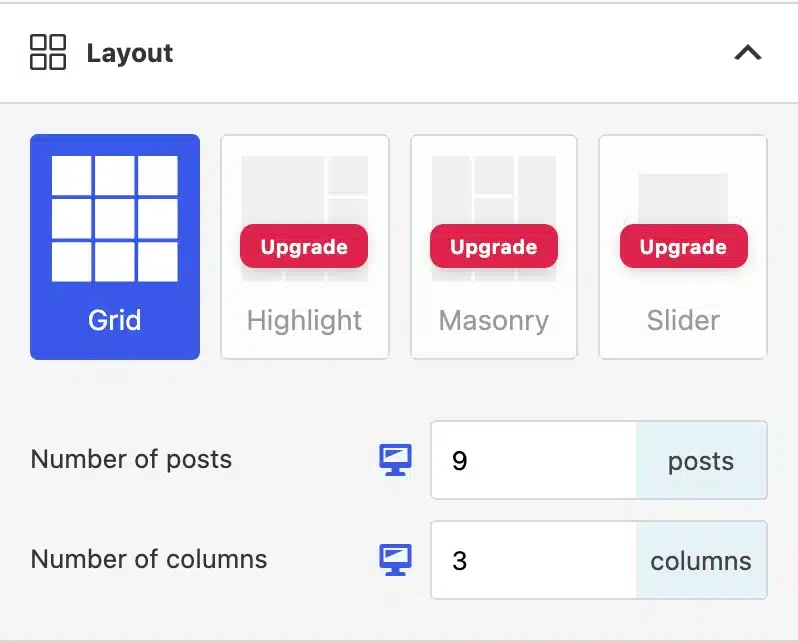
- Layout styles beyond basic grids: Spotlight Free includes pre-designed templates, but masonry, sliders, and highlight layouts require Spotlight Essentials. Smash Balloon’s free tier is limited to a grid layout; carousels, slideshows, and masonry require its paid Basic tier.
- Pop-up lightboxes: Spotlight includes a full photo/video lightbox in its free tier. In Smash Balloon, the functional popup lightbox is reserved for the paid Basic plan.
- Post captions, likes, and comments: Displaying captions, comments, and like counts requires a paid upgrade in both plugins (Spotlight Essentials or Smash Balloon Basic).
- Stories: Displaying Instagram Stories on your site requires Spotlight Essentials or Smash Balloon Basic.
- Hashtags, moderation, and product links: Neither free plugin lets you display hashtag feeds, curate public posts, or create shoppable links. Those require higher-tier paid plans in both tools.
Feed Styling and Page Builder Integration
Once your feed is connected, you need it to fit your site’s aesthetic without fighting your theme.
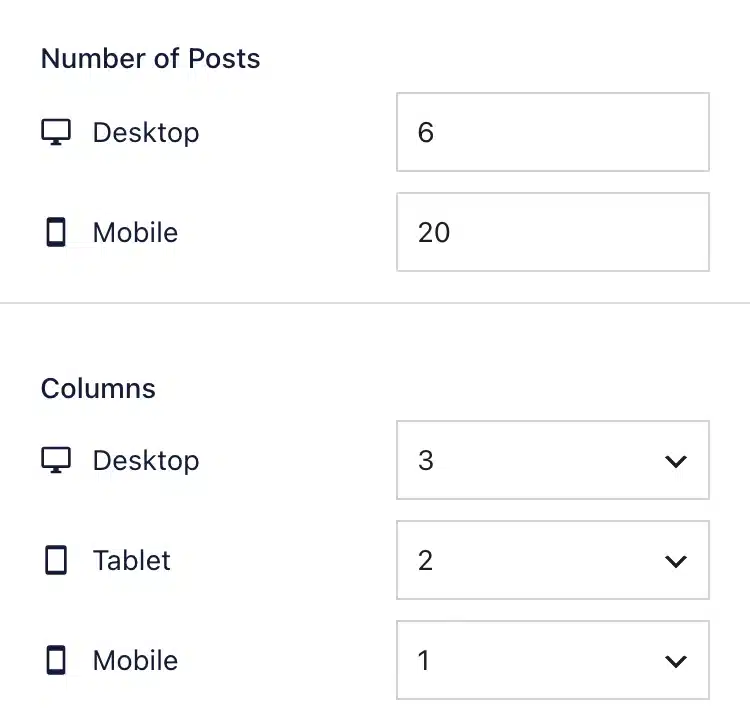
Spotlight uses a visual customizer where you adjust columns, spacing, colors, borders, and button text while watching your live feed update on the screen. Because feeds behave differently on desktop monitors than on mobile screens, Spotlight allows you to configure column counts and post density specifically per device directly inside the settings.
Smash Balloon features its own visual customizer where you adjust feed width, height, colors, margins, and header styles. It includes pre-made feed templates and themes on its higher plans to speed up styling.
For embedding content, both plugins fit into standard WordPress workflows:
-
Block Editor (Gutenberg): Both offer dedicated native WordPress blocks. You search for the block, drop it into your layout, and pick the feed you want to show.
-
Page Builders: Both plugins support major builders including Elementor, Divi, and Beaver Builder. You can embed feeds via standard shortcodes or widgets. If you build with Elementor, you can check our walkthrough on how to add an Elementor Instagram feed to see how embedded controls function inside page templates.
-
Classic Widgets and Shortcodes: Both provide shortcodes and classic sidebar/footer widgets for non-block themes.
Hashtags, Tagged Feeds, and Content Moderation
Displaying your own posts is straightforward, but many businesses want user-generated content (UGC): feeds showcasing a campaign hashtag or photos where customers have tagged the brand’s Instagram handle.
This is where plan tiers begin to diverge:
-
In Spotlight: Hashtag feeds, tagged feeds, visual moderation, and filtering are all packaged together in Spotlight PRO. You do not need to upgrade to an agency tier just to access tagged feeds or filtering tools.
-
In Smash Balloon: These features are split across different plan tiers. Hashtag feeds, visual moderation, and phrase filtering require the Plus plan. If you want tagged feeds—posts where other Instagram users have tagged your account—you have to upgrade to the Elite plan.
Both plugins include visual moderation tools that let you manually approve or hide specific posts before they appear on your site, as well as automated filters to exclude posts containing specific phrases or unwanted hashtags.
Shoppable Feeds: Linking Instagram Posts to Products
Both plugins can send visitors from an Instagram post to a product or other page. Their paid linking workflows differ.
Spotlight: Promote Tab and Hashtag Automations
In Spotlight PRO, post linking is built around a dedicated Promote workflow. Inside the feed customizer, you select a post and link it directly to:
-
A WordPress Page or Blog Post
-
A WooCommerce Product
-
Any custom external URL (such as an affiliate partner or third-party store)
Because it integrates directly with your WordPress database, you select your product or post from a dropdown menu rather than copying and pasting URLs manually. You can also configure custom button text inside the lightbox pop-up to describe the destination.
Spotlight also supports automatic linking from URLs in Instagram captions. You can use that approach when you already include a destination URL in your post.
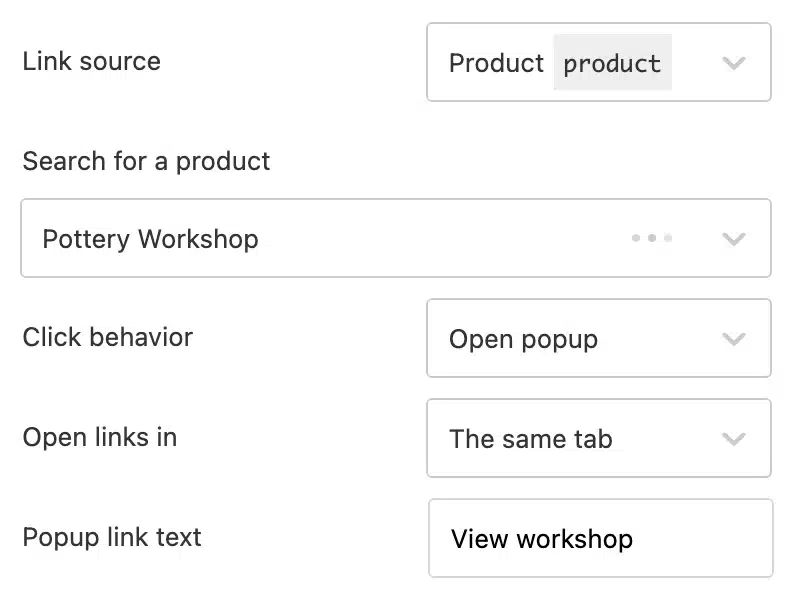
We linked a pottery post to a WooCommerce product called Pottery Workshop. In Promote, we selected the product, chose Open popup and set the link text to View workshop. With the popup sidebar enabled, that button took us straight to the workshop’s product page.

For growing shops, Spotlight includes Hashtag Automations. Instead of manually updating your feed every time you publish to Instagram, you assign a specific hashtag to a product in Spotlight. Whenever you publish an Instagram post with that hashtag in the caption, Spotlight automatically assigns the product link and displays the post in your shoppable feed.
Smash Balloon: Caption Links and Customizer URLs
Smash Balloon introduces shoppable feeds on its Elite plan. It allows you to link individual Instagram feed images to custom destination URLs in two ways:
-
Customizer URLs: You open the feed customizer and manually enter the target web address for each post.
-
Caption URLs: You can include the target link directly within the Instagram post caption itself, which Smash Balloon parses and turns into a clickable link on your site.
Both plugins support caption URLs and manually assigned product links. Spotlight also lets you select WordPress products and pages directly and assign links through hashtag rules. Those are the workflow differences to weigh if you regularly publish new products.
Account Connection Requirements: Do You Need a Facebook Page?
A common point of confusion is whether you need a Facebook Page to show Instagram photos on WordPress. The answer does not depend on which plugin you buy—it is dictated by Meta’s API structure.
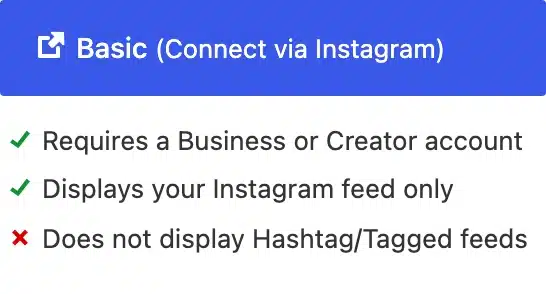
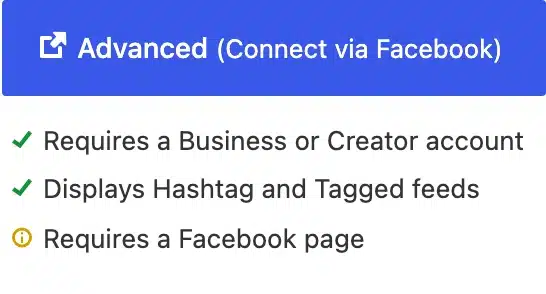
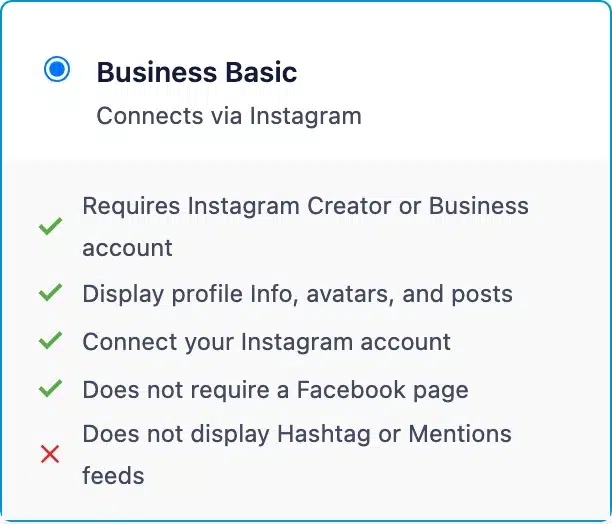
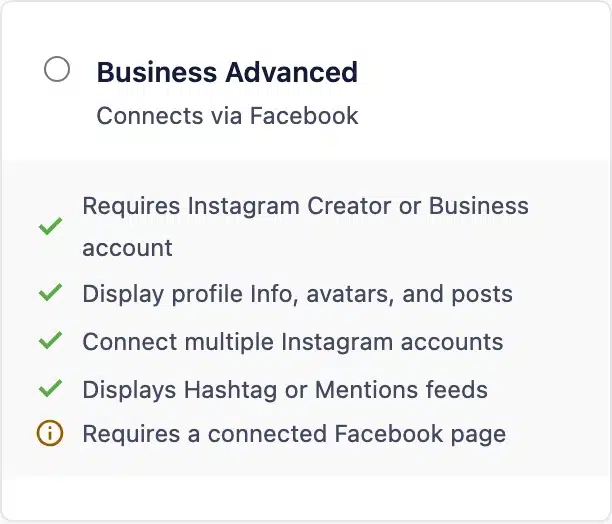
Both plugins offer a direct Instagram connection and a Facebook-based connection.
Both plugins require a professional Instagram account: Business or Creator. You can switch from a Personal account for free.
If you only want to display a gallery of your own recent posts, you can authenticate directly through Instagram without a Facebook Page. However, if you want to pull public hashtag feeds or show posts where other users tagged your account, you need the Facebook-based Advanced connection and a linked Facebook Page. Your paid plan must also include the feed type you want.
Other permissions differ. Spotlight’s connection guide places likes, comments and follower counts under Advanced. Smash Balloon’s guide allows likes, comment counts and follower counts through Business Basic; displaying comments or Stories requires Business Advanced.
For a detailed breakdown of which Instagram account style fits your setup, see our guide on Instagram Creator vs Business accounts.
Spotlight connection options
Smash Balloon connection options
Site Performance, Caching, and Maintenance
Both plugins document caching to reduce repeated requests to Instagram:
-
Spotlight documents local media storage, optimization and caching to keep previously retrieved content available during Instagram service problems.
-
Smash Balloon documents cached social data and loading data as needed to reduce requests. Its free listing also includes local WebP image support.
Caching does not establish which plugin will be faster on your site. Check your feed and page performance after embedding it, and use the connection guidance if an account needs reconnecting.
For technical help, both plugins provide public support forums on WordPress.org for free users. For paid users, Spotlight provides direct email support (with priority email on Agency plans), while Smash Balloon provides standard ticketing on Basic and Plus, reserving priority support for Elite and bundle customers.
Pricing and Long-Term Value: First Year vs Renewals
When comparing software costs, make sure you look at the total cost of ownership over two or three years. Introductory discount models can significantly change what you pay upon renewal.
Spotlight Pricing
Spotlight’s current pricing offers a locked renewal price:
-
Essentials: $59/year (1 site) — includes all layouts, lightbox, stories, comments, likes, and captions.
-
PRO: $99/year (1 site) — includes everything in Essentials, plus hashtag feeds, tagged feeds, shoppable feeds, visual moderation, and filtering.
-
Agency: $199/year (up to 20 sites) — includes all PRO features, Instagram and Spotlight analytics, image/video management, and priority support.
Smash Balloon Pricing
Smash Balloon’s current offer discounts the first year by 50%. Renewals are billed at full price:
-
Basic: $49 for the first year, renews at $98/year (1 site) — includes layouts, lightbox, stories, comments, and likes.
-
Plus: $99 for the first year, renews at $198/year (5 sites) — adds hashtag feeds, visual moderation, and filtering.
-
Elite: $149 for the first year, renews at $298/year (10 sites) — adds tagged feeds, shoppable feeds, and priority support.
-
All Access Bundle: $299 for the first year, renews at $598/year (Unlimited sites) — includes all Smash Balloon Pro plugins (Instagram, Facebook, Twitter/X, YouTube, TikTok, Reviews, and the combined Social Wall plugin).
What This Means for Your Budget
If you are a single-site owner wanting a shoppable or tagged feed:
-
With Spotlight: You buy Spotlight PRO for $99/year, and it renews at $99/year.
-
With Smash Balloon: To get shoppable feeds and tagged feeds, you need the Elite plan. You pay $149 for your first year, but your annual renewal jumps to $298/year.
Over two years, that is $198 for Spotlight PRO ($99 + $99) versus $447 for Smash Balloon Elite ($149 + $298). PRO includes one site; Elite includes 10. These totals apply the current advertised USD prices, before tax, to a one-site shopping or tagged-feed use case.
For hashtag feeds and moderation without shopping or tagged feeds, Smash Balloon Plus is sufficient: $99 initially, renewing at $198 for five sites. Spotlight PRO includes those features for $99 a year on one site.
If you are an agency managing multiple client sites:
-
Smash Balloon’s Plus plan ($198/year renewal) covers 5 sites, and Elite ($298/year renewal) covers 10 sites. If you need multi-network feeds (combining Instagram with YouTube and Facebook into a single social wall), Smash Balloon’s All Access Bundle provides all of those standalone plugins under one umbrella.
-
If your focus is purely Instagram, Spotlight Agency covers up to 20 sites for a locked renewal of $199/year ($9.95 per site if you use all 20 licenses). For an in-depth look at multi-client management, read our agency comparison guide.